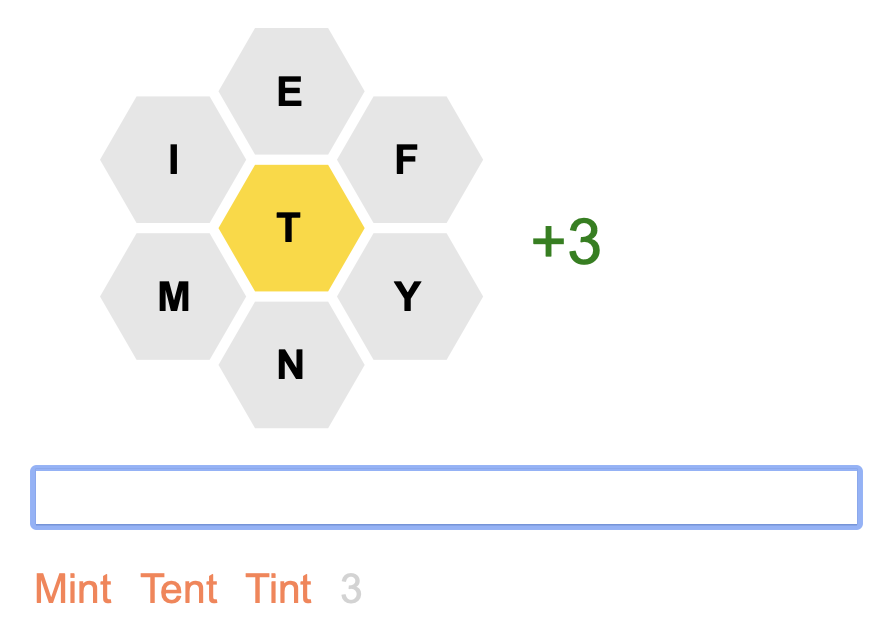
UltraBee
Here is the NY Times version:
There are several videos to show how it works.
Give it a try and what you think.
My name is Jon Bjornstad. I live in Davis, CA. I am 76 years old. I retired from the corporate software world a few years ago but I still very much enjoy the art of programming. In short, I am an old Perl hacker. When I saw the Hint Table of the NYT Spelling Bee and realized that it was static, that it did not change as you found words, I immediately thought, “That’s not right. I can do better.” And I have. The complete source code for this project is on github.

| Basic Operation | 7:47 |
| Hints | 13:13 |
| The NYT Archive | 6:51 |
| Clues | 11:14 |
| Creating a Community Puzzle | 16:41 |
| Tips & Tricks, Bits & Bobs | 7:46 |
| 1:03:32 |
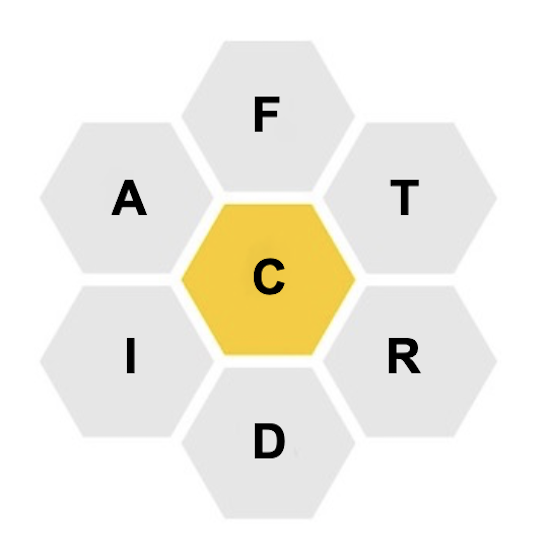
Finding all of the words is just one way to play. There are other 'games within the game' that are another kind of fun challenge.
This word game could be viewed as an advanced variant of the popular board game Boggle. UltraBee is Boggle at the graduate school level! This document is quite long and there are many commands. UltraBee is for those who want a serious WordPlay challenge.
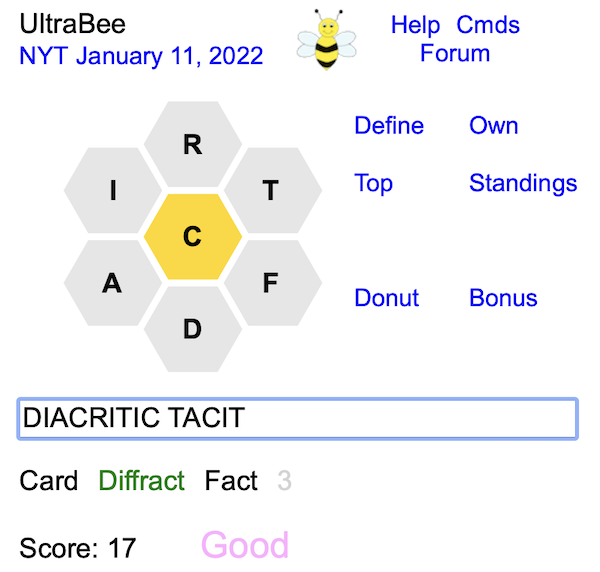
In the text field you enter words that satisfy the rules of the puzzle. You can enter more than one word. Press Return to see if the words are acceptable. Any error messages will appear above the text field. Words you have found will appear below the text field in alphabetical order.
Pressing Return when the text field is empty will clear any messages. If there are no messages to clear, the 6 outer letters will be shuffled (aka permuted).
If you lose focus on the text field you can restore it by hitting the Tab key.
There are several links on the page.
| I | Show Information about the puzzle including numbers of words, points, pangrams, and (maybe) Bingo.
Note that a pangram is termed “perfect” if it is 7 letters long.
If the puzzle was created by the community (instead of the NYT) details from the creator are given. If clues have been added for a puzzle the authors are listed. Click on an author name to see all of their clues. There are 6 different formats you can choose from. There is also the word “HiveMind” which is a link to the forum of the NY Times. Click on it to see the extended yet entertaining discussion about the puzzle. |
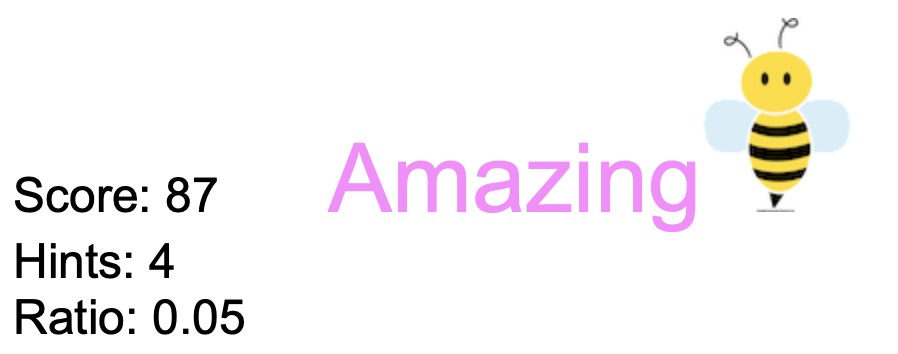
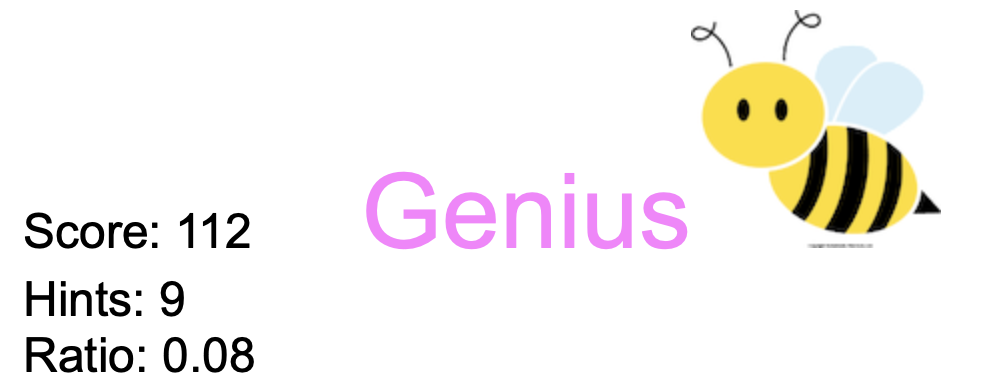
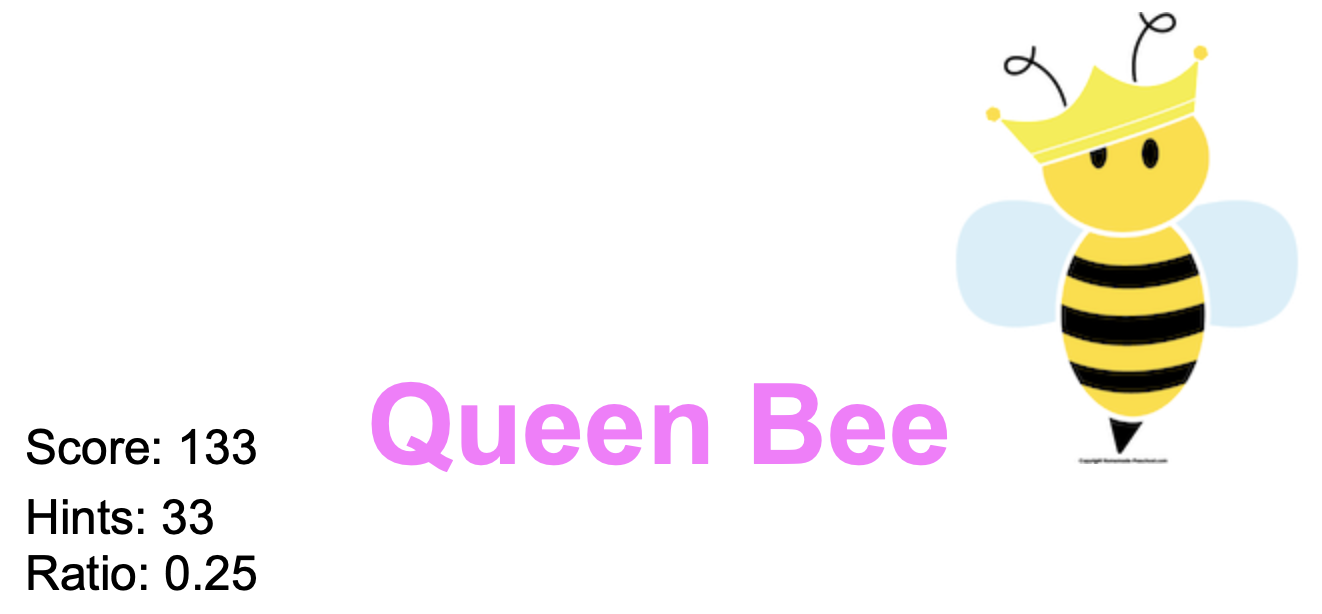
| R | Show the rankings - from Beginner to ... Amazing to Genius to Queen Bee. It also shows how many points are needed to get to the next rank. |
| W | Show the found words in the order they were found. |
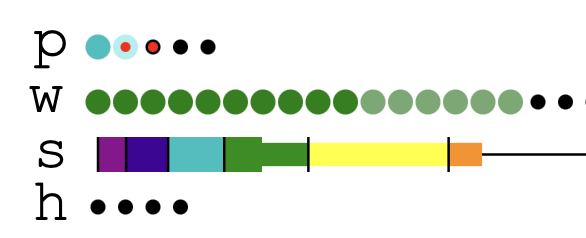
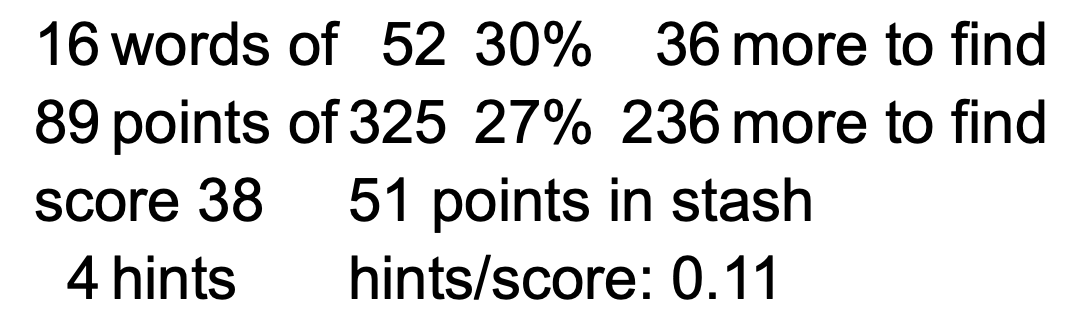
| SC | Show how the score was tallied and how many words remain to be found. A thin line shows where you first asked for a hint. |
| TOP |
Show the screen names of people who have achieved
the ranks of Queen Bee down to Good Start for the current NYT puzzle.
Also shown are the number of hints they needed.
If someone achieved GN4L or GOTN this is noted.
Bingo achievements are shown for
Bingo puzzles.
Just for fun, on days when the day number is prime, people who have the same score will have their screen names sorted in reverse alphabetical order. This somewhat evens out the tyranny of the A-Z order of the alphabet where people with names in the beginning of the alphabet have always had a subtle and unfair advantage over those with names near the end. There is a link “Share your score.” Clicking on it will copy a description of your scores to the clipboard. You can paste it into a text message or email to share your score with your friends. It looks like this: UltraBee 09/22/2023 Bingo 7, 0 Hint Great 5 Hint 18 Bonus, 4 Own, 10 BOA, 3 BB 13 Donut, 2 Own 3 Lexicon |
| ST | Cycle through the 4 types of puzzle status: numeric, graphical, graphical plus statistics, or no status at all. Default is numeric.
|
| C Y | Clear the puzzle and start over. C Y means Clear and confirm with Yes. Note that this clearing of hints will not change the number of “overall hints” that is shown with the TOP command. |
The identity string is private, secret, and unique. It is like a password. The screen name is your unique public-facing name. Note that neither of these require an email address or phone number so you can be private and secure. Choosing the public screen name is also an opportunity to be literate and clever. 😊
This string is saved in your web browser data (aka cookies) so that if you leave and return later your words and games are remembered. Nice.
The unfortunate issue with this mechanism is that if you:
A better way to establish your identity is to create a string that you know is (very likely) unique to you (like your name plus your birthdate) and enter it with the ID command. For example:
Now if your web data and browser history is cleared or you use a different browser you can easily re-establish your identity by RE-entering the above command.
The ID command can be used if you mostly play on your computer with a keyboard but also want to play on your mobile phone when you are out and about. Enter your ID command in both places and you will see your words and games in both places. Nice!
Entering the ID command by itself will show you what your identity string is.
Screen names are shown with the CW and TOP commands which show how you are doing with respect to other players. They are also used when you post a message to the Forum.
You can change your screen name at any time with the command SN like so:
The screen name can be almost anything you wish. The only restriction is that it cannot contain the characters <, >, space, or single or double quote. It CAN be an emoji like 😊 or 🐝! Uniqueness is enforced. The name is entered in ALL CAPS but is transformed like so:
Entering the SN command by itself will show you what your screen name is.
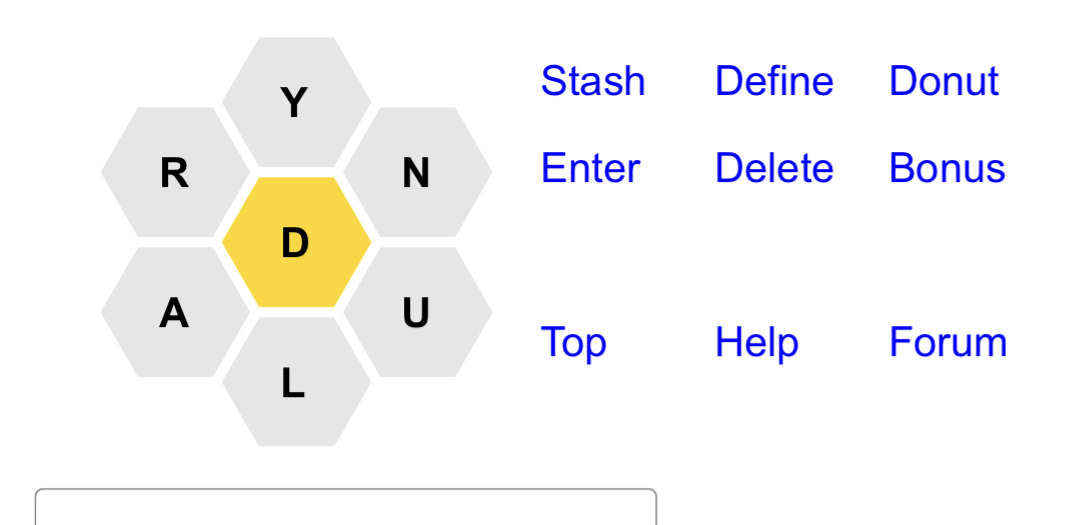
Android phones will behave in a similar way. If you are playing on an iPad or Tablet with a touch screen you can use the MO command to toggle into “mobile mode”.
In this mobile mode the heading has been toggled off. There are 9 command links to the right of the hexagon letters: Stash, Define, Donut, Enter, Delete, Bonus, Top, Help, and Forum.
Tapping on letters will copy them to the area on the right:
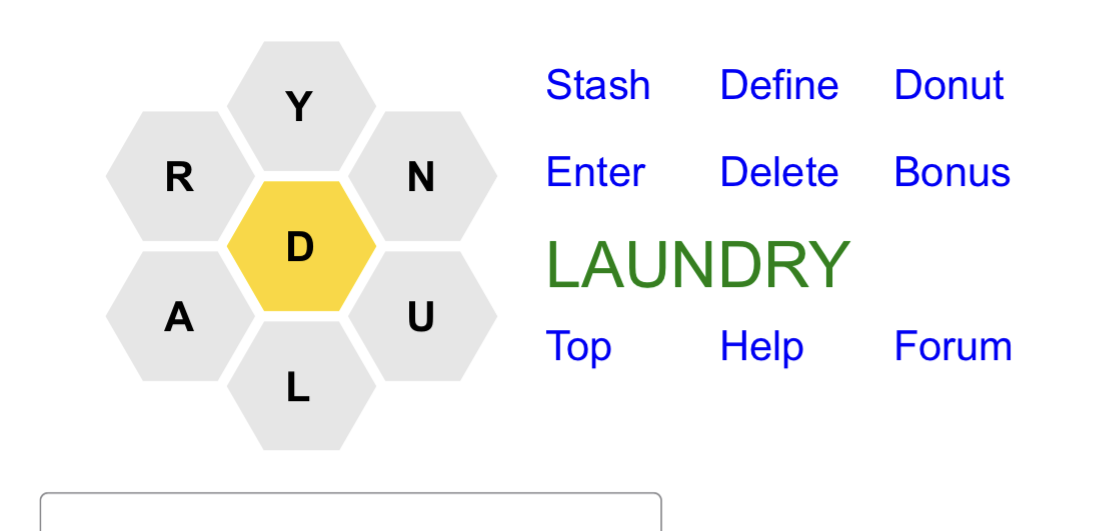
Tap on Stash to add the word to The Stash.
Tap on Define to do a DR command to define a random unfound word. This can be turned off with the ND (No Define) command toggle.
Tap on Donut to switch into Donut Mode.
Tap on Enter to submit the word.
Tap on Delete to remove letters.
Tap on Bonus to switch into Bonus Mode.
Tap on Top to issue the TOP command.
Tap on Help to bring up this document in a separate browser window.
Tap on Forum to toggle Forum Mode.
If you wish to enter a command, see the list of found words, or view the Hint Table simply scroll down.
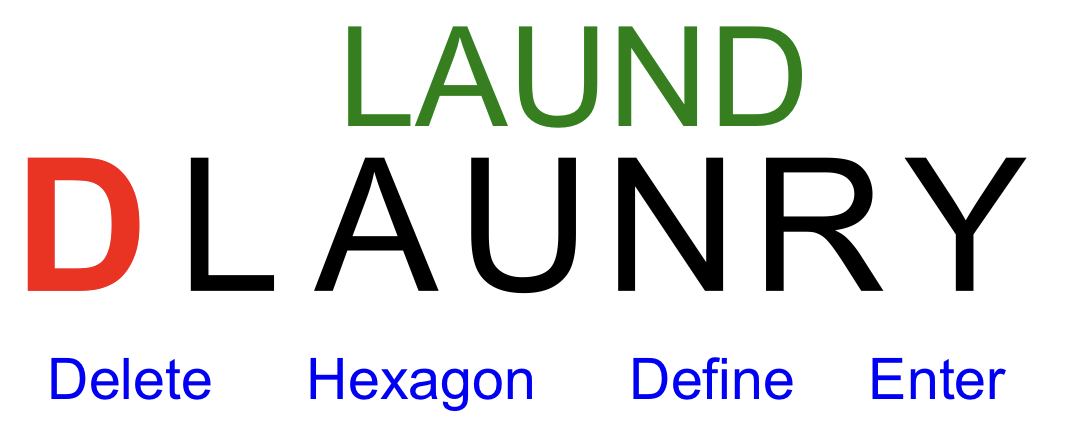
The Inline display mode is further explained here.
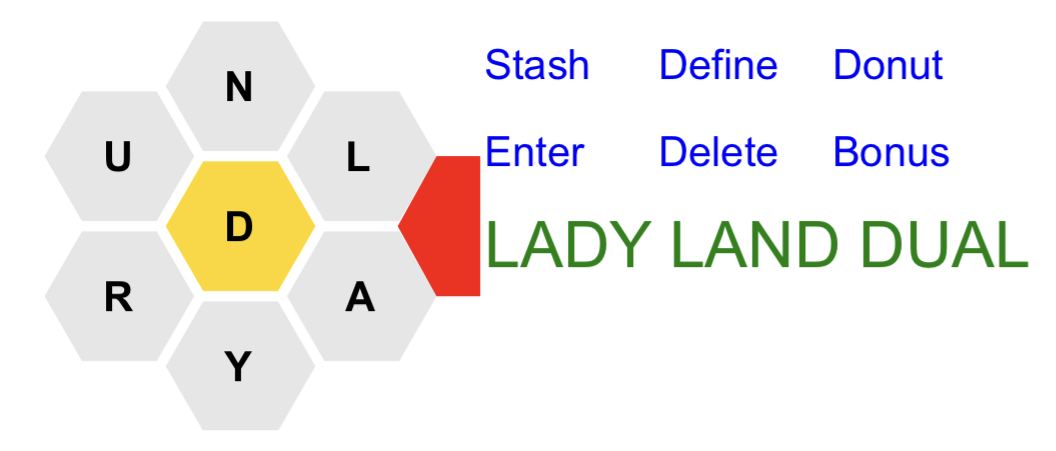
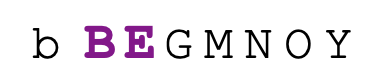
See the red pentagonal shape? It won’t be red on your screen but tapping on that area will insert a space character. This will enable you to enter multiple words before Entering them – as illustrated. When you have entered a lot of words the font will be reduced so you can enter even more words!
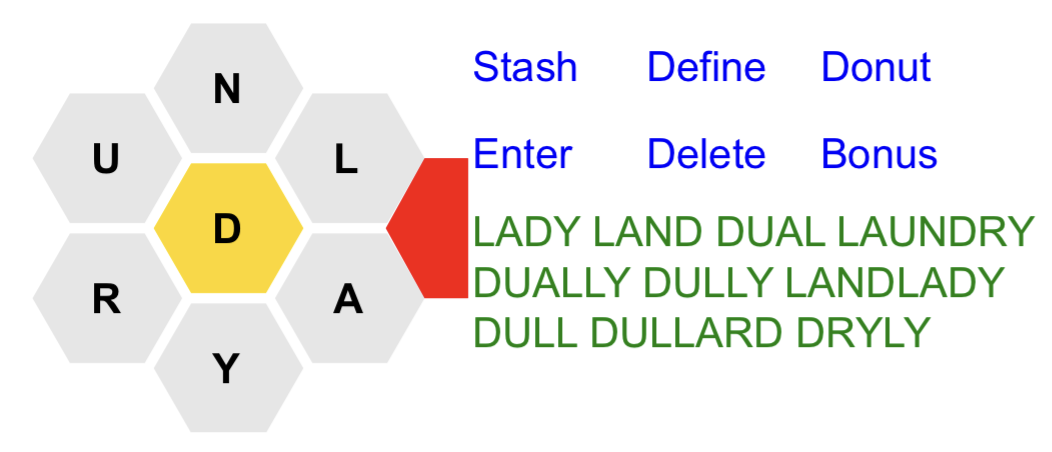
Just for fun, (and because this document is already TL;DR = “too long; didn’t read”) here is the previous paragraph rewritten by ChatGPT in the style of a Rap/Hip-Hop artist and then in the style of Ralph Waldo Emerson:
It’s like a key to unlock,
the multi-word flow,
Enter as many as you want,
before you hit go,
As shown, it’s like a demo,
of what you can do,
Type away, and the font’ll shrink,
so you can get it through,
You can enter all your thoughts,
without a single pause,
The font’ll adjust,
so you can keep on applause,
So tap that shape,
and let the words start to flow,
You’ll be typing like a pro,
in no time, yo!
Thus, the boundaries of expression are expanded, and the mind is free to roam, unencumbered by the constraints of the physical realm. The multitude of words, like a river’s tributaries, converge and flow into the vast ocean of thought, as illustrated by the sages of old.
And when the vessel of expression is filled to overflowing, the font, like a wise and benevolent guide, adjusts its proportions, that even more of the divine effluence may be contained, and the soul’s grandeur be revealed in all its majesty.
When clicking on the pentagon it will briefly flash pink to visually indicate that the space was inserted.
You can try this pentagonal functionality on a laptop or desktop or tablet if you first toggle into “mobile mode” with the command MO.
This will speed up your play because there will be no time-consuming round trip to the server for each word. Instead there will be only one server round trip when you hit Enter to submit all of the words at once.
| HT | Show the Hint Table. |
| TL | Show the Two Letter List. |
| T3 | Show the Three Letter List. |
| JT, JTA | Show the Jumble Table. |
| The Hint Table, Two Letter List, Three Letter List, and Jumble Table are explained below. | |
| 1 | Show a random entry from the Hint Table. |
| 2 | Show a random entry from the Two Letter List. |
| 3 | Show a random entry from the Three Letter List. |
| JR | Show a random entry from the Jumble Table. |
| These four will work even if the full Table and Lists are not shown. | |
| Note: The Define and reVeal commands below will skip words that have already been found. | |
| Definitions/Clues | |
| DP | Define the Pangrams. |
| DB8 | Define the words beginning with B of length 8. |
| DGA | Define the words beginning with GA. |
| D-MIN | Define the words beginning with MIN. |
| DR | Define a random word from the list of words not yet found. Note that if there are no 4 letter words in the found list the DR command will do a D5 to only include 5+ letter words. This will help when trying for GN4L. |
| D <word> Define the word.
You can ask for definitions of any word - not just the ones in the puzzle.
No hints are tallied.
This form of the D command serves as a quick and fun way to browse a dictionary that is more pleasant somehow (less clutter and noise!) than a full web site. You can give multiple words on the command line.
You can also type a word followed by D to get the definition:
| |
|
Definitions are from wordnik.com. These definitions are very brief because they’re just a hint. Complete definitions would cover multiple meanings and multiple parts of speech. Once a word is found and shown in the Found Word List you can click on it again to see the brief definition.3
The command Q (or ?) will show the definition of the last word that was found.
Click on brief definitions to see the complete definition from wordnik.com in another window. And (a hidden feature) if you’d like to hear the word pronounced aloud click on the word at the top of the complete definition. For some reason, this works for root words but not derivations (e.g. change not changing). If there there is a clue for a word it is shown first followed by the dictionary definition. The power user command OC will toggle between seeing only the clues or seeing both the clues and the definitions. The default is to show both. You are normally charged 3 hint points for a definition but if you have set Only Clues the charge is reduced to 2 hint points. If you do not want to accidentally get definitions there is the ND command to toggle showing the Define link or not. This applies to the BT, HT, TL, T3, and JT tables as well. | |
| Revealing Letters | |
| V2P | Reveal the first two letters (and the length) of the pangrams. |
| V3B8 | Reveal the first 3 letters of the words beginning with B of length 8. |
| V4GA | Reveal the first 4 letters (and the length) of the words beginning with GA. |
| Using E instead of V reveals letters at the front and at the End of the word. Commands that would reveal the entire word (like V4B4) are silently ignored (as are commands like V1B8 or V2GA). | |
Note that there is no V4MIN (or E4MIN) command to reveal 4 letters of words beginning with MIN as this would be just too much. Yes, this is the UltraBee but one has to have some limit, right? 😊
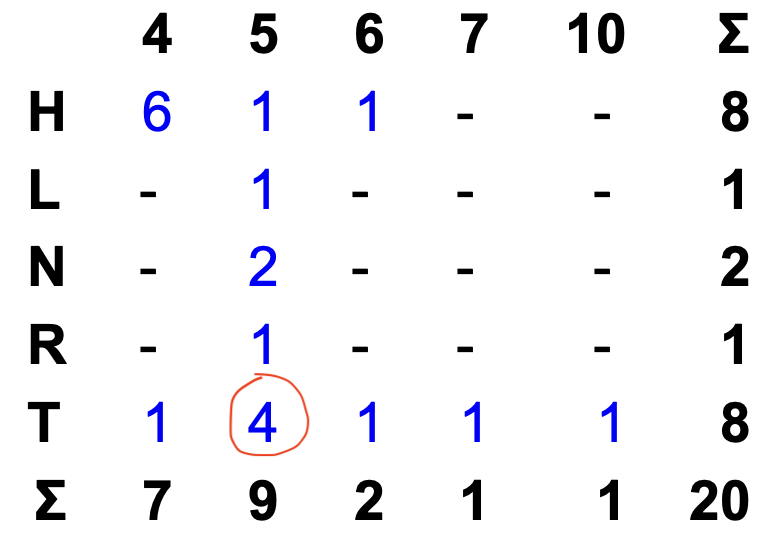
The Hint Table (aka The Grid) (invoked with the HT command) looks like this:
The Two Letter List (invoked with the TL command) looks like this:
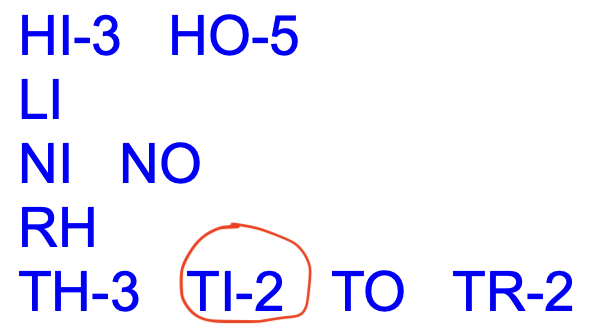
There are two important things about the table and list.
For those who work on the puzzle at nytimes.com or with the NYT mobile app and would like the Hint Table and Two Letter List to be dynamic there is a solution:
The Three Letter List is invoked with the T3 command and looks like this:
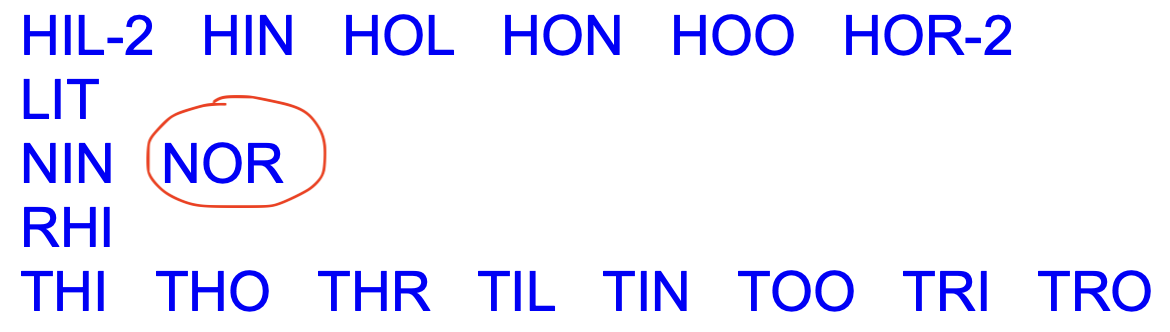
The Three Letter List is not a standard part of the NYT Puzzle. It is often provided by various people in the HiveMind comments. It almost gives too many hints since you only need to add one letter to get the 4 letter words!
The Jumble Table is invoked with the JT command and looks like this:
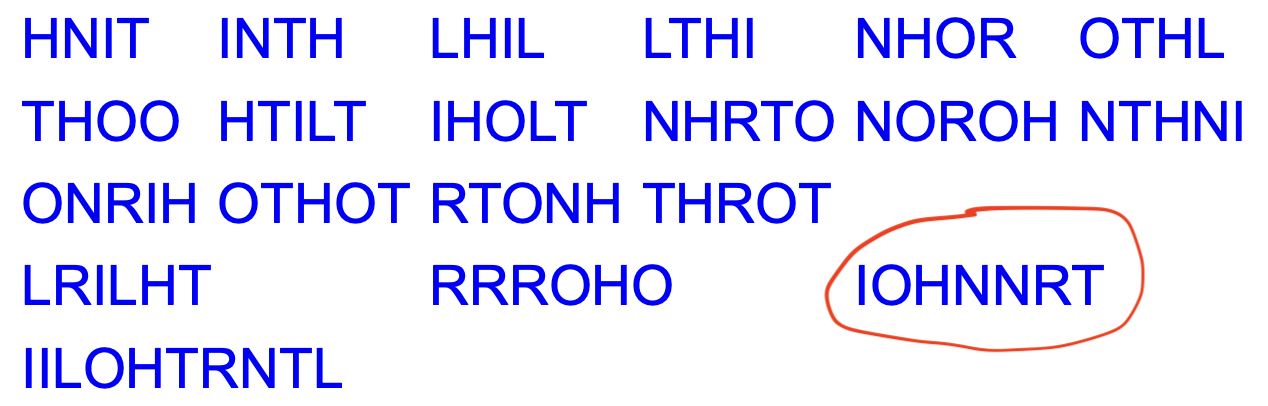
The commands JR and 5J show a random jumbled word and a random 5+ letter jumbled word respectively and will work whether or not the Jumble Table is present.
The Jumble Table was inspired by the Spelling Bee Toolbox written by Kevin Kolb. For those who enjoy this kind of Scrabble/Unscramble/Anagram activity there is Aerolith Wordwalls which is like a training gym for Scrabble professionals!
A variant of the Jumble table is invoked with JTA which will present words as alphagrams rather than randomly jumbled. An alphagram is a word where the letters occur in alphabetical order. If the word is TINHORN its alphagram would be HINNORT. Professional Scrabble players arrange their letters in the rack in alphabetical order to enable them to more speedily see valid words. A word like CHIMP is its own alphagram. Another example is BELOW. The puzzle on 11/18/20 has the word BELOW in the allowed list. It also has ELBOW and BOWEL. All three of these words have the alphagram BELOW. If a word is its own alphagram it will be shown in randomly jumbled order. So ... on 11/18/20 you will see BELOW twice (for ELBOW and BOWEL) and a jumbled non-alphagram version for BELOW (like ELOWB or OLWBE). Fun, huh? 😊 If you are in the JTA alphagram mode and you see a word in the list that is not an alphagram you can be sure that the unjumbled word is the alphagram! So, seeing ELOWB (not an alphagram) tells you that the unjumbled word it represents is the corresponding alphagram BELOW.

The two instances of ELMNO above are for the words LEMON and MELON.
Finally, if you launch the Jumble Table with JT but decide you prefer alphagrams instead you can enter JTA without incurring any further hint points.
When playing on a laptop or desktop computer where you might have a large screen these hint tables and lists are displayed on the right hand side of the screen thus more effectively utilizing the extra screen real estate.
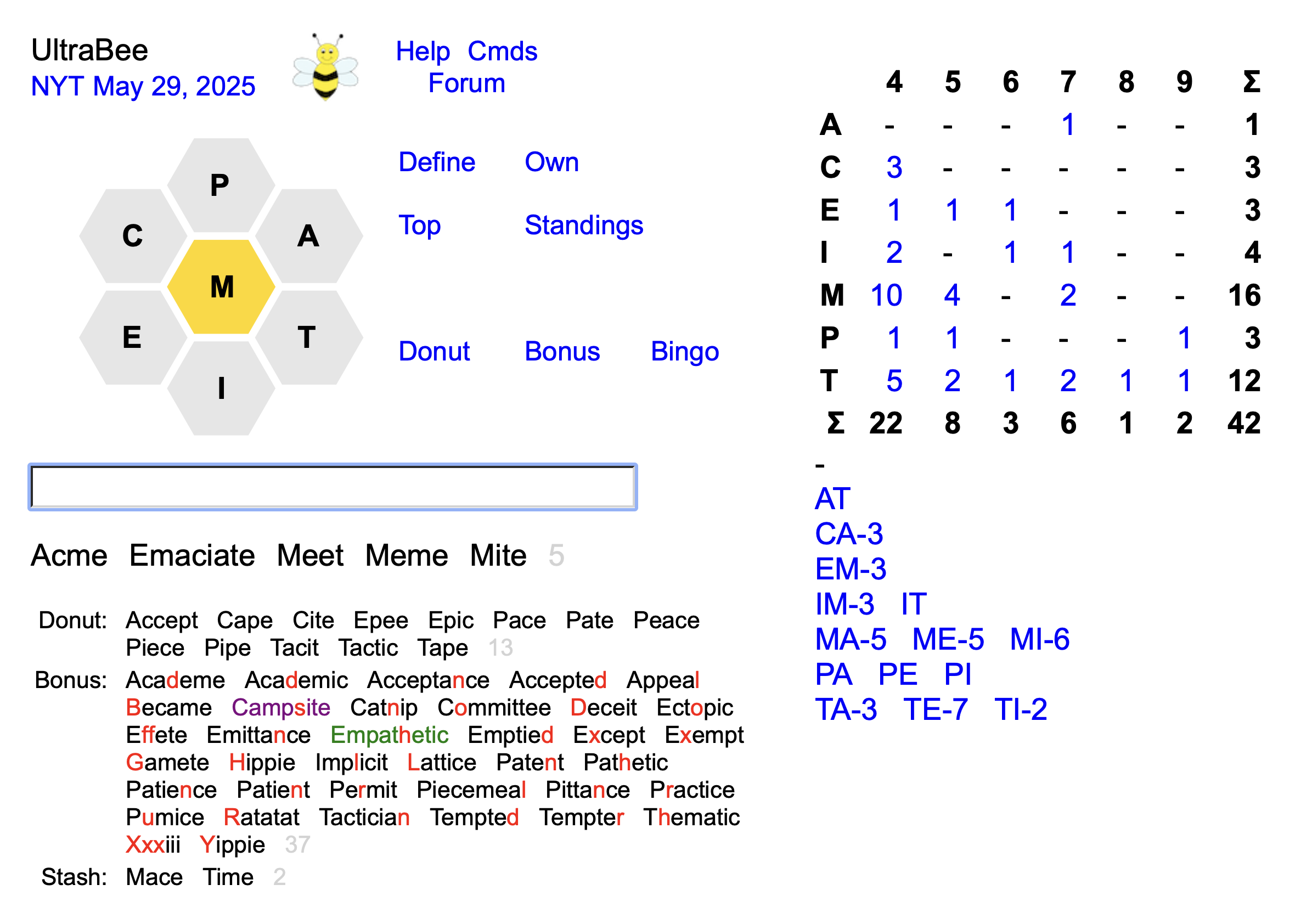
When playing like this it is fun to see the dynamic tables and lists get smaller and smaller. It’s an impressive display – almost like you are piloting a large complex airplane!
| Hint Command | # hints | |
|---|---|---|
| AH, AAH | 1-32 | |
| JT, JTA | 20 | |
| T3 | 15 | |
| HT | 10 | |
| TL | 5 | |
| DP | 2 or 3 | for each word |
| DB8 | 2 or 3 | for each word |
| DGA | 2 or 3 | for each word |
| D-MIN | 2 or 3 | for each word |
| V,E | 2 | for each word |
| 1 | 1 | |
| 2 | 1 | |
| 3 | 1 | |
| JR | 1 | |
| DR | 1 | |
| D5 | 1 | |
| 51, 52, 53, 5J | 1 | |
| #B, #4, #>4 | 1 | |
| # | 0 | |
| BT | 0 | |
| G Y | 5 | for each word |
If you are seeing Only Clues (see the OC command here) the definitions are 2 hint points per word rather than 3.
The I (info) command shows the names of the people who provided clues. Clicking on a name will show all of their clues. This will not cost you any hint points at all and is one of many ways that you can “cheat”!
Note that with enough hints you can always make it to Queen Bee. For example, with the 5 letter word MAGMA you could ask for the hints V4MA and E2MA to get all 5 of the letters.
Once the rank of Amazing is reached the ratio of hints to total score is shown. Here’s an example of where I struggled to get to Queen Bee after I got to Genius 😥:
The command BT (Bingo Table) shows a subset of the Hint Table. For each of the 7 letters it shows the lengths of the words with minimum and maximum scores. This helps when you are aiming for level 4 Bingo. For example (from 1/22/21):
| C | E | I | N | O | T | V | |
|---|---|---|---|---|---|---|---|
| Min | 4 | 5 | 4 | 4 | 5 | 4 | 4 |
| Max | 10 | 8 | 12 | 8 | 5 | 8 | 6 |
| * | * | * |
BT does not tally any hint points. For people striving for QBABM the Bingo table does give you quite a bit of help – for free. You can’t quite claim that you got to Queen Bee all by yourself, but that’s okay.
As in the Hint Table the numbers in the BT table are links - to show a brief definition of the word(s). BT is a toggle - the default is off. If a puzzle is not a Bingo puzzle no table will be shown.
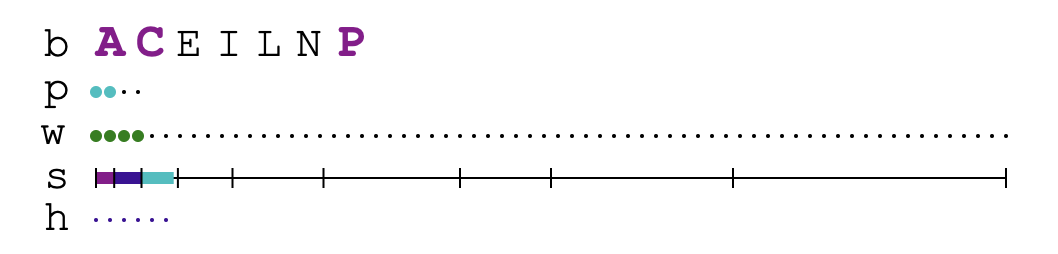
If you are using the graphical status note that you can click on the 'b' (bingo) line to toggle the Bingo Table on and off.
If you enjoy Bingo games there is the command NRB which will start a New Random Bingo puzzle from the NYT archive.
The TOP command shows Bingo achievement scores that are tallied like this:
| First 7 words | 1 |
| Alphabetical Order | 2 |
| Minimum Score | 4 |
| Maximum Score | 8 |
When doing both min and max Bingo you need the C Y command between them. SWA is better than C Y - see The Stash. Even better and more convenient, after a Minimum Score Bingo (also affectionately known as Mingo) the message will contain a link: "On to Max Bingo" which will do the 'SWA' for you. And after a Maximum Score Bingo (aka Maxgo 😊) the message will contain a link: "You can now strive for GN4L" which will stash any four letter words and unstash any 5+ letter words and ... turn off the Bingo Table. The message will be different if GN4L (or GN4L-NP) is not possible. It should be self-explanatory.
Since 4 letter words are only valued at 1 point, attaining GN4L is almost always possible. In the first 1530 games in the archive there were only 8 games where GN4L was not possible. 10/8/19 is one example. If GN4L cannot be achieved this is noted in the output of the I (Info) command.
Even though it is almost always possible, getting to GN4L isn’t easy. Here are a few commands to help:
| D5 | Define a random word not yet found that has 5 or more letters. Note that if you only have 5+ letter words in your found list the DR command will do much the same as the D5 command. |
| 51 | Show a random non-zero entry from the Hint Table where the length is 5 or more. |
| 52 | Show a random entry from the Two Letter List of words with a length of 5 or more. |
| 53 | Show a random entry from the Three Letter List of words with a length of 5 or more. |
| 5J | Show a random entry from the Jumble Table of words with a length of 5 or more. |
When you achieve GN4L you get a congratulatory message:
As you get close to Genius you can consult the Hint Table to see if there is a 5+ letter word remaining that will get you to Genius exactly. If not, you could stash a word with the SW command like this: SW <word>. This will adjust your score so you can then have other ways to make the score match the Genius level exactly.
Two other Genius level variants are when you did not need a Pangram to reach Genius. The codes for these are: GN4L-NP and GOTN-NP. If GN4L-NP is not possible this is also noted in the I (info) command. (10/19/2018 is one day when GN4L-NP was not possible.) The “attagirl” is:
The PG command will tell you how many more points you need to reach the Genius level. If you are at or over Genius it reports how many more words you need to reach Queen Bee.
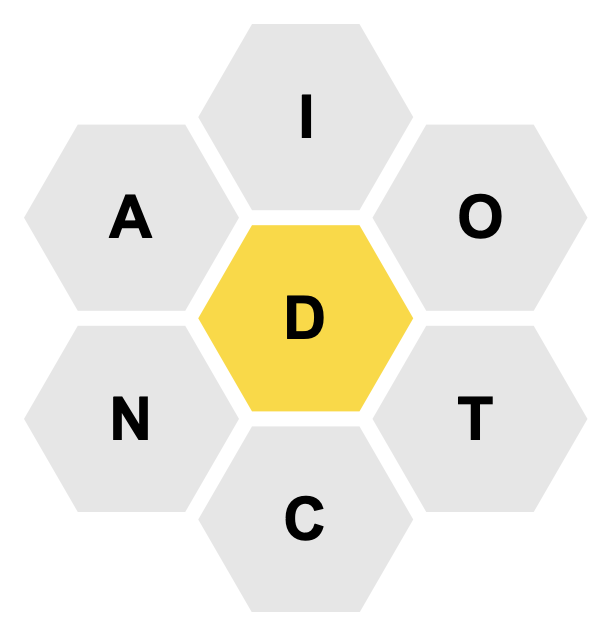
More conveniently, the SW (or just an S) could be entered at the end, if you wish:
or
CONDITION ADDICT DICTA S
The words in the Stash are shown below the Puzzle words. Something like this:
Note that words are checked before stashing. Only valid puzzle words are stashed. Bonus, Donut, and Lexicon words will be added as usual.
When you finish with minimal Bingo you likely want to go on to maximal Bingo (which is much harder) or GN4L. But you don’t want to forget the 4 letter words you entered! There is a command to help:
or
SF ADDICT ADDICTION DICTA DATA ACID CONDITION
You can UNstash just the 5+ letter words with:
There is a variant on the SA command:
or
SA IO
Another (and likely easier) way to UNstash a word is to first click on it to get its definition. Above the definition there will be a link labeled UNstash. Click on it do the unstashing.

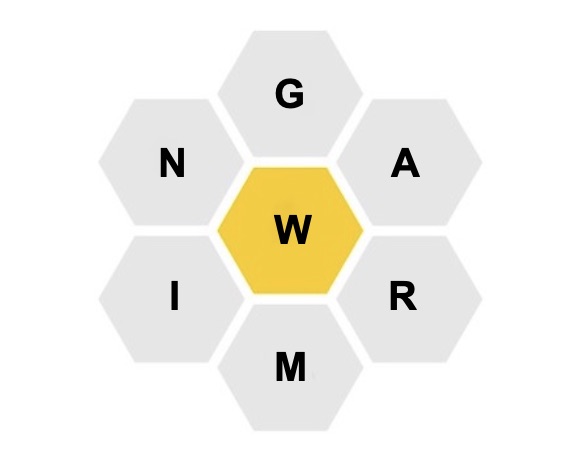
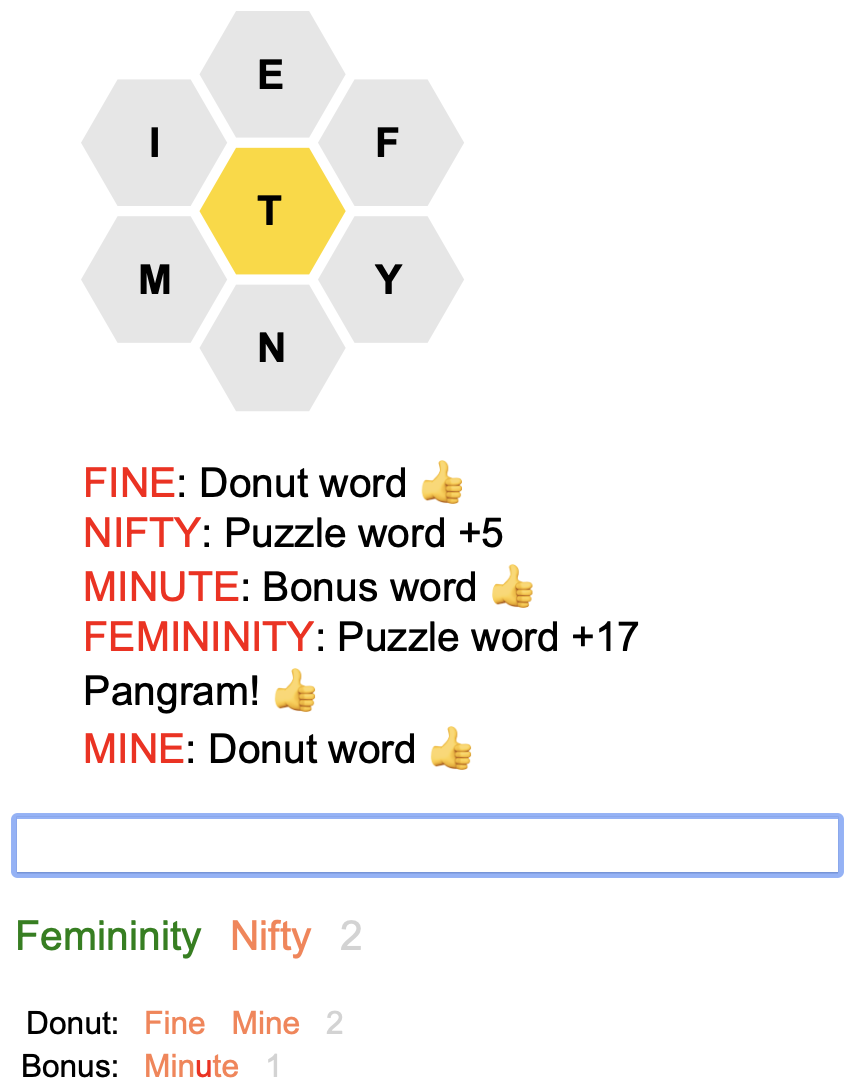
Donut Words are deemed acceptable if they occur in the large lexicon 4 or have appeared before in an NYT Bee Puzzle OR if they have a definition at wordnik.com.
If you try to find Donut (or Lexicon) words by typing words that you don’t know and suspect may be a valid word you may be pleasantly surprised that it is indeed an acceptable word. For example:
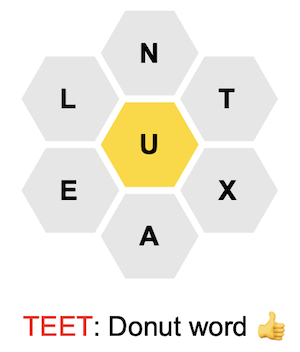
To faciliate your search for Donut words you can toggle into “Donut Mode” with the command DN. This will only show Donut words you have found and the center letter will disappear because you won’t be using it. When you toggle the letter display with H to show the letters in a straight line the center letter will be omitted. Toggle out of Donut Mode with the command DN as well.
When playing on a mobile phone there are links to toggle into and out of Donut mode. In Donut mode the screen looks like this:
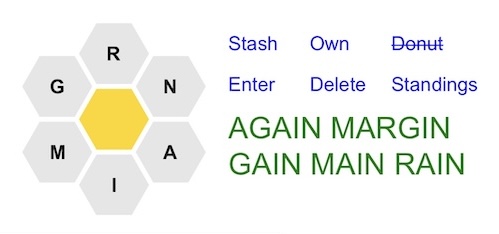
Note: The center hexagon will issue a space so you can enter multiple donut words at the same time. The center hexagon will briefly flash pink to indicate that the space was inserted.
When viewing the letters horizontally (with the H command) they will look like this:
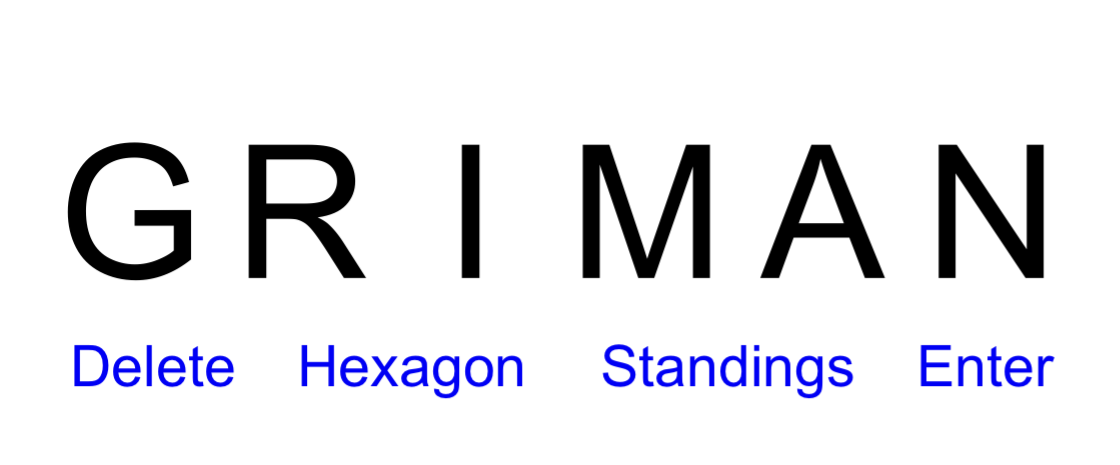
Finally, the command D> will show the Donut words in order by length.
the words WAIN and WANG are such valid words that
were not included in the allowed list - because they are rare or obscure?
These disallowed words are the subject of many many repetitous and lengthy
discussions and debates in the HiveMind Forum. One example is
the word URTICARIA - see
the NYT HiveMind forum for May 16, 2022.
These words are called “Lexicon Words” because they are to be found
in the large lexicon.
In this puzzle from November 13, 2022:
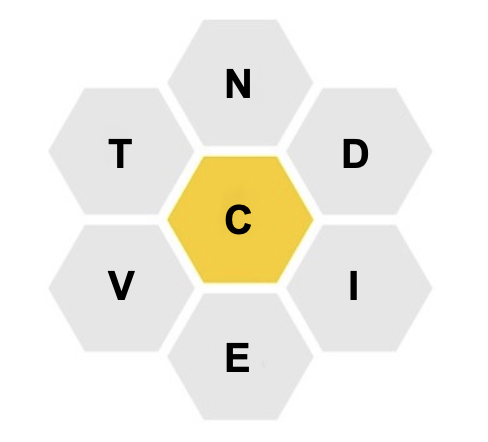
the words VICINITY and INCITEMENT are Bonus words which use an additional Y and M respectively. Bonus words must appear either in the large lexicon or in the list of previous NYT Puzzle words OR if they have a definition at wordnik.com. The additional letter can be an S (finally!). SCIENCE is another Bonus word for the above puzzle.
Note that very few plurals occur in the large lexicon and that many words ending in ING and ED are absent as well. wordnik.com does have definitions for most plurals. Since this would result in a plethora of Bonus words just by adding an S (or ES) to Donut words that are nouns (or verbs) these type of Bonus words are not allowed. Apologies for those who enjoy accumulating vast quantities of Bonus words. 😊
It seems that Bonus words are often more colorful and intriguing than the typical boring “normal” puzzle words.
Playing Spelling Bee hopefully expands our vocabulary. But … if you only play the standard puzzle your vocabulary is biased by words with <= 7 unique letters. AND no words with S or both E & R. 😜 Bonus words expand that a little.
On May 16, 2022 this was the NYT Puzzle:
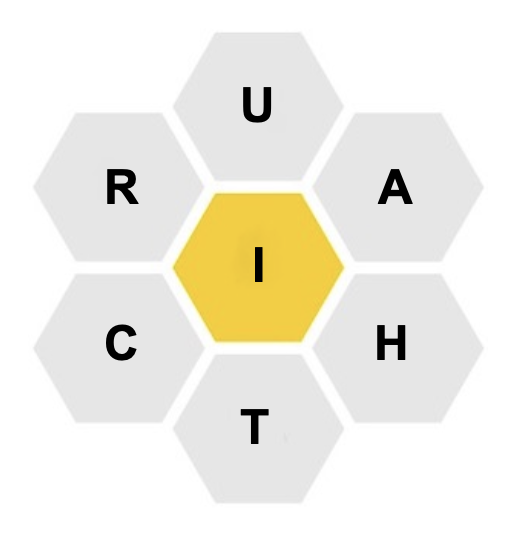
And here is a screenshot from the NYT Spelling Bee HiveMind Forum on that day:
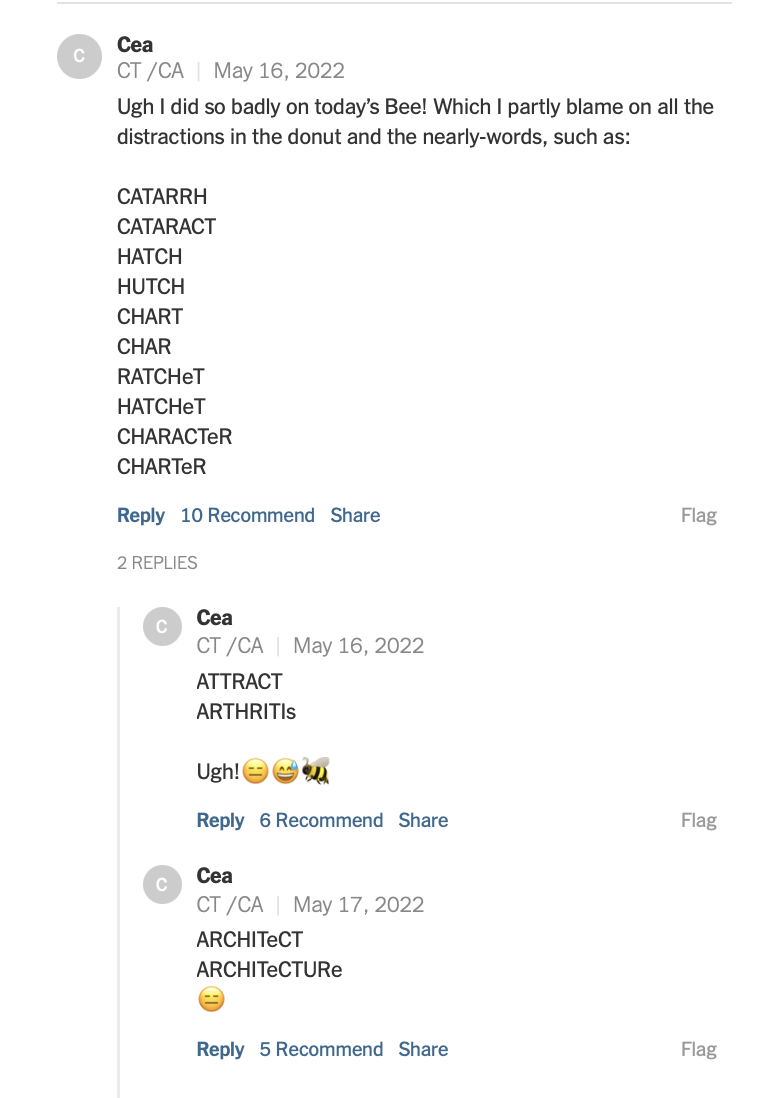
This is evidence that Donut and Bonus words are a troublesome issue for those who only play on the NY Times site! On this site they are an added fun competitive challenge. 😊
If you have found a rather long Bonus word and want to brag about it the B> command will show the Bonus words in order of increasing length. This will obviate the annoying, laborious, and error prone counting of the letters! 😊
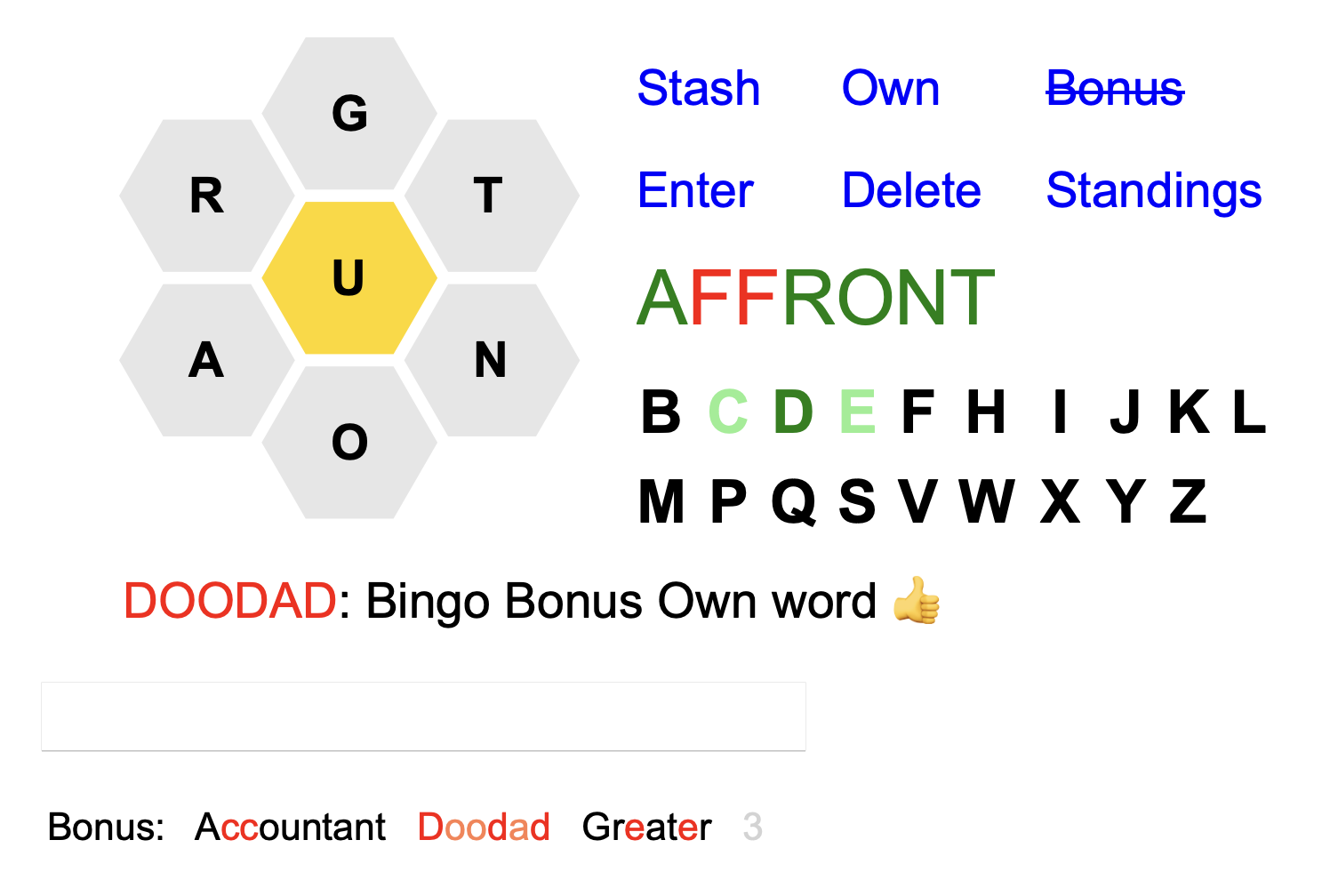
The 19 (26-7=19) additional letters are put in a table.
Tap on them to append to the word.
If a Bonus word has been found using a letter it will
be shown in lightgreen.
If there is a Bingo Bonus word that begins with the
letter that letter will be shown in green.
There are also command links for
Stash,
Own,
Bonus,
Enter,
Delete,
and
Standings.
When NOT on a mobile phone the BN command will put the 19 additional letters below the text field.
Similar to what happens in Donut Mode, when in Bonus Mode only Bonus words are shown – no Puzzle, Donut, Lexicon or Stash words. And since you are not looking for puzzle words, the Status (numeric or graphical), Hint Table, Two Letter List, Three Letter List, and Jumble Table are not shown. This helps you focus on finding those elusive colorful intriguing Bonus words!
The BB Score is another way of tallying the Bonus words. It is the count of how many different letters begin a Bonus word. These letters include the additional 19 letters not in the puzzle and also the 7 letters in the puzzle itself. So the maximum BB Score is 26. The command BB will list the Bonus words in alphabetical order labeled with the first letter. This will show which letters are not yet at the beginning of a Bonus word. The listing ends with the BB Score.
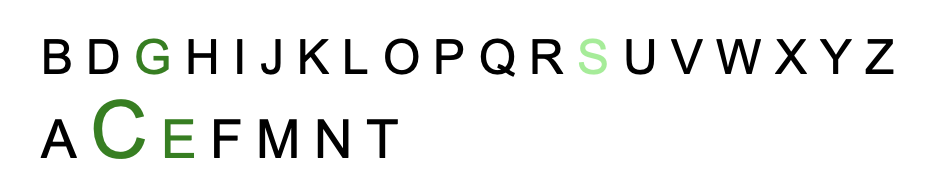
For yet another way of tallying Bonus words there is the Xw score. X is the puzzle letter that begins the most words in the puzzle and the Xw score is how many of your Bonus words begin with X. This score is shown at the end of the output of the BB command and is also included in the CW command output. This is yet another way to foster a little competition in finding Bonus words. It’s all fun, right? 😊 Note that the X letter will change from day to day. How does one know which letter is the X “letter of the day”? When in Bonus Mode the X letter of the day will be shown in larger font than the other six in the display of the 19+7 letters. Like the letter C here on 4/20/2026:
Note that there is a chance that 2 or more letters will have the same number of words in the puzzle that begin with that letter. As of April 2026 this occurred in 8% of the puzzles. One extreme example was on 12/13/25 where there were 5 letters that had 7 words each! In these cases there will be 2 or more Xw scores. The output of the CW command (the Standings link) will choose one of them randomly so there will be multiple Xw “competitions”.
When searching for Bonus words to increase your BOA, BB, and Xw scores this list of “open secret” words from the large lexicon may help:
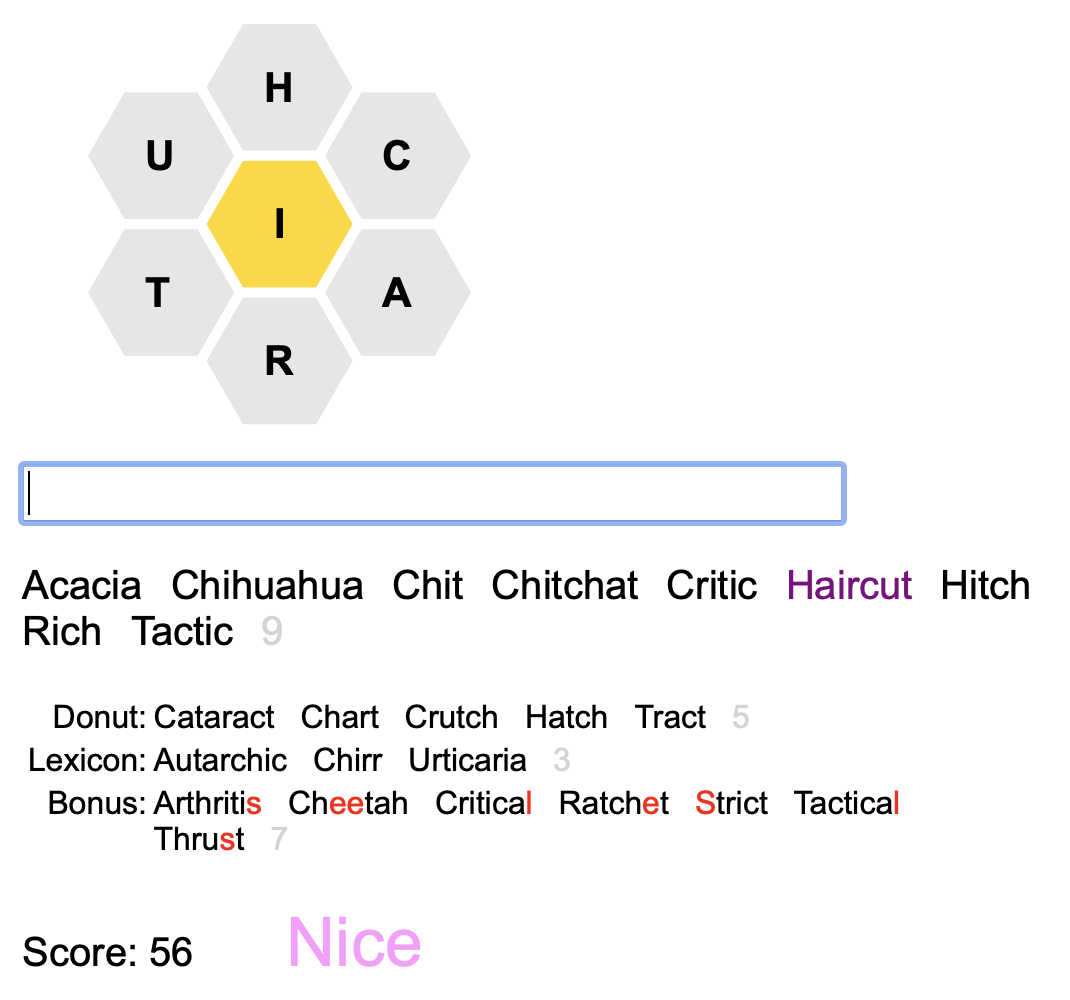
Note that the command C Y will clear puzzle words but leave the Extra words. C YA will clear all words (but preserve your “overall” hint total).
The words that you found are shown in sky blue. Pangrams and Perfect Pangrams are marked. The numbers in a second column show how many different people found that word.
| DW | Show all Donut words in alphabetic order. |
|---|---|
| LW | Show all Lexicon words in alphabetic order. |
| BW | Show all Bonus words in alphabetic order. |
You can suffix these commands with L to order the words by length or with N to order them by the number of people who found them.
| BWA | Show all Bonus words in order of the additional letter. Within that additional letter the sort is by the number of people who found the word and then alphabetically. At the end are tallies of the number of words containing the center letter and also by length. |
|---|
Note: These lists of words can change after the day of the puzzle. Furthermore, as a “very big cheat” you could select, copy, and paste all of the words into the text box to add to your collection.
| OW | This tells you which
Extra words were found Only By You. When an extra word is entered you are informed if it is an “Own” word.
|
|---|---|
| CW | Community Words.
The 'C' could also stand for Competitive 😊.
Show the screen names
of the 5 people who found the most
Extra words (Bonus, Donut, and Lexicon) for the current NYT puzzle.
For example:
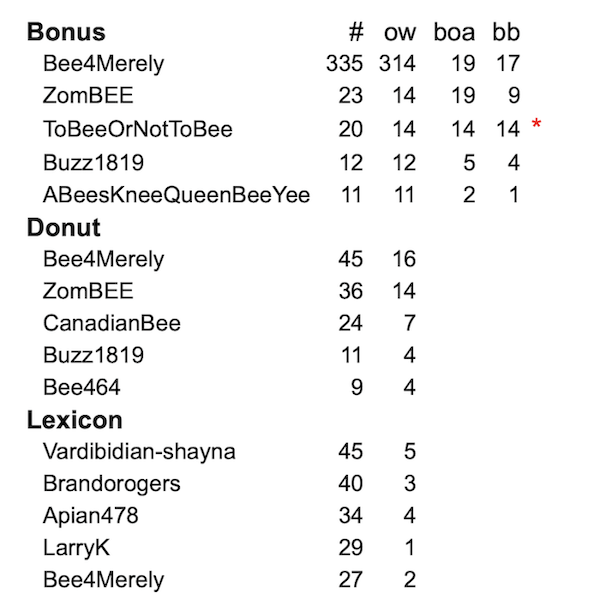
CW 10 will show the top 10. Note that this command only shows the counts of words that were found on the day the puzzle was released. This command can be entered throughout the day of the puzzle. CW introduces a fun competitive drive to try to find more and more words. Note that CW also shows OW, BOA, BB, Xw, and oXw scores. On the day of the puzzle above (8/16/2025) the letter R began most of the puzzle words. Clicking on the little ⓘ will explain the cryptic table headings. |
These commands show how inventive and desperate we are to find more and more words! 😊
1) The puzzle on 2/6/21 included the word ANEMONE
which was also a Bonus word for the 12/14/24 puzzle.
I find this word to be very tricky to spell correctly.
I tried ANENOME and got these errors:
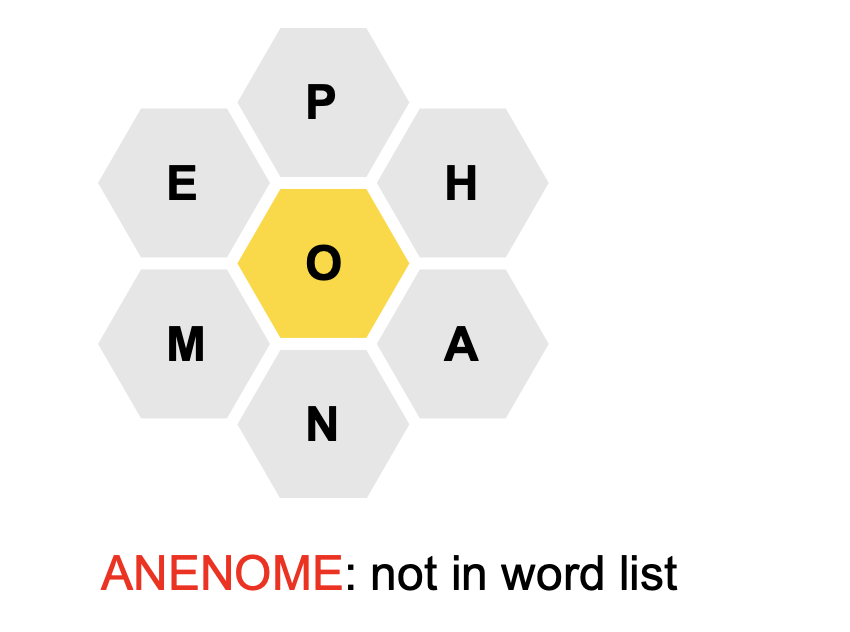
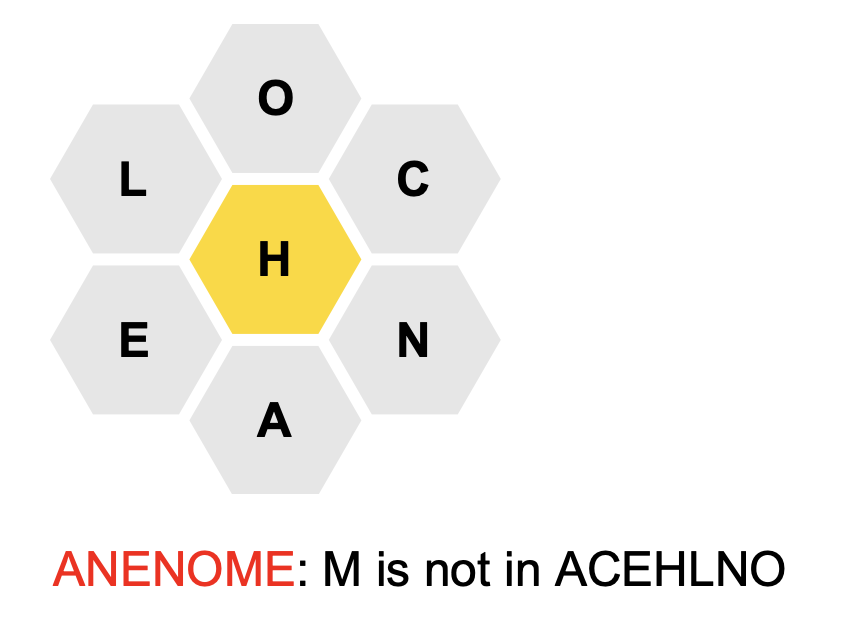
At this point if you click on the red
misspelled word, a new
window will open with a Google search on that word. You will see:
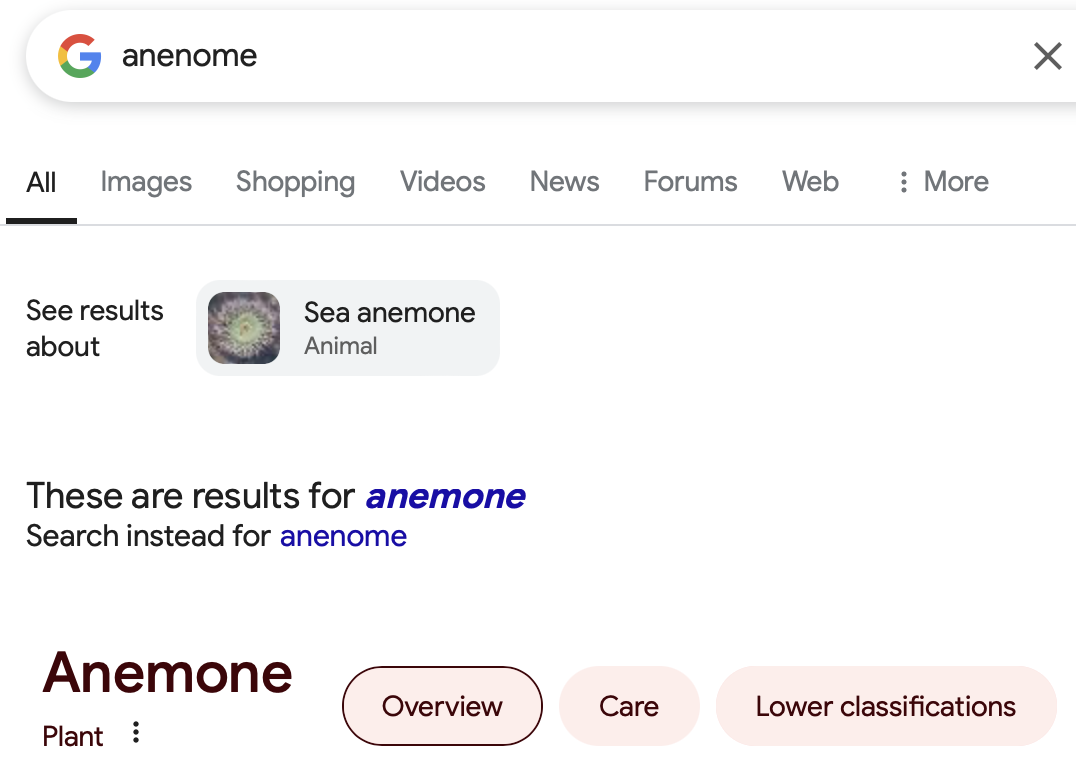
2) Whenever you are viewing a definition of a word (say CARROT)
there will be a link labelled Search:
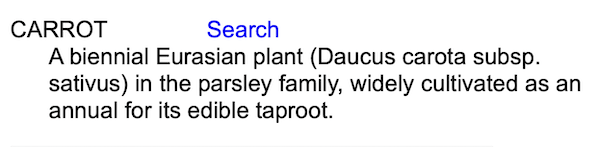
Clicking on Search will open
a new window with a Google search for CARROT. In that window
you will see a link ‘Images’ to show a collection of images of carrots:
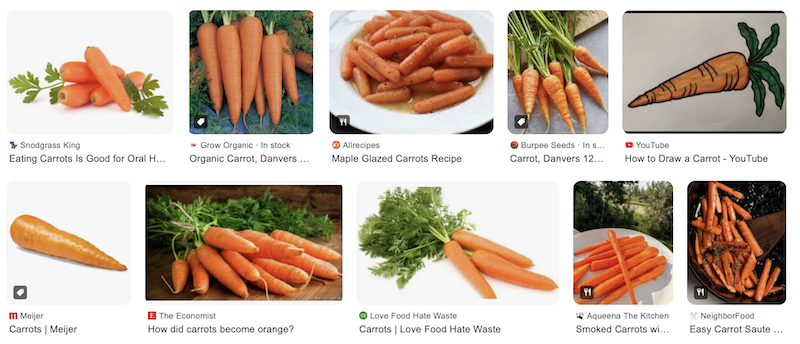
Fun, huh? Useful? Maybe.
3) If, after enjoying today’s puzzle you are up for a vocabulary “test”, you can go to yesterday’s puzzle (with the command Y) and issue the command BW to see the long list of intriguing colorful creative Bonus words that were found by everyone.
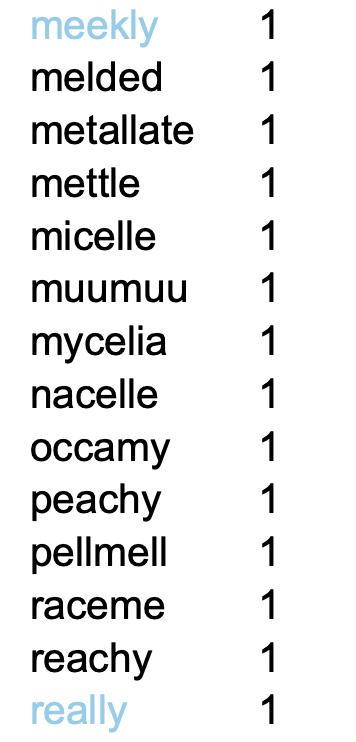
Which of these words do you know? You can click on the words to get definitions.

While looking at the definitions you can choose Search and then get images as noted above.
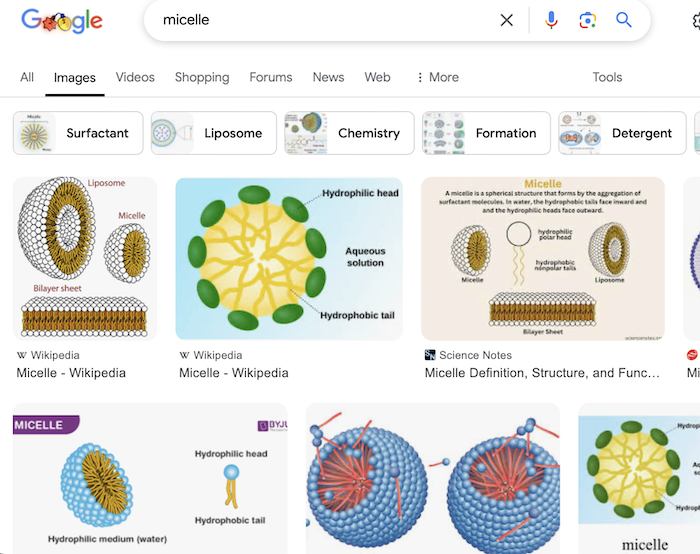
Close that window and then go Back in the browser to return to where you were in the list of Bonus words.
Fun? Educational? It is a way to challenge and enlarge your vocabulary.
| NR | New NYT puzzle from a Random date. |
| <date> | New NYT puzzle from the given date. You can enter dates in several ways: 10/20/19 or 9/23 (current year) or 15 (current month - but not 1, 2, or 3 for the 1st, 2nd, or 3rd). Dates must be on or after May 9, 2018. |
| T | Return to today’s NYT puzzle. |
| Y | From today’s puzzle move to yesterday’s NYT puzzle. If on another NYT puzzle date it will move to the day before. |
| -1, -7 | Move to yesterday’s puzzle (-1) or the puzzle from a week ago (-7). |
| L | List the current puzzles. * marks the current puzzle. p marks puzzles where all pangrams have been found. You can click on the puzzle date to switch to that puzzle. |
| N | Move to the next puzzle in the list - wrapping from last to first. |
| P | Move to the previous puzzle in the list - wrapping from first to last. |
| P<num> | Move to puzzle #num in the list. |
| X | Remove the current puzzle from the list and move to the first in the list - or today. This clears the words you found in the removed puzzle so if you choose the puzzle again you will start afresh. |
| X<nums> | Remove the numbered puzzles from the list. You can give a range. For example: X 2 4-6 9 |
| XA | Remove all puzzles from the list and return to today’s NYT puzzle. |
| Note that you cannot remove today’s puzzle. | |
| Community Puzzles | |
| LCP | List the 5 most recent Community Puzzles. LCP 10 will list 10 puzzles. LCP <pattern> will show the puzzles created by people whose names match the pattern. Click on the CP## to start solving the puzzle. |
| RCP | List community puzzles that I recommend because I find them interesting, clever, or an unusual challenge. |
| CP<num> | New Community Puzzle #num. This plays the puzzle. To create a puzzle click here. |
| YCP | List the Community Puzzles that you created. Click on the CP# to edit the puzzle. You can change the words, clues, title, and description. |
| XCP<num> | Delete Community Puzzle #num and revert to today’s NYT puzzle. You can only delete puzzles that you created. You would only do this if you deem the puzzle to be flawed in some way. |
If you enjoyed a puzzle and want to share it with a friend
you can click on the bee logo at the top.
This will take a link
to the puzzle and copy it to the system clipboard.
The link can then be pasted from the clipboard into a text message
or an email.
There is no guarantee that your accumulated puzzles will not be lost (inadvertently oops) or tidied up for you (to save disk space?). If you would like to keep a permanent record of the many puzzles you have played there is the command DL (for DownLoad). It will generate downloadable comma-separated files of your puzzles and display, for example:
Links to download your puzzle files:
List Full
The Full link will download a file with 11 columns: date, letters, center, rank, all pangrams, number of hints, puzzle, donut, lexicon, bonus, stash. The last 5 columns contain the words you found in each category. The words are space separated. This will give you everything that you could conceivably want, yes? 😊
The above 'date' column format is either yyyymmdd (for NYT puzzles) or CP### (for community puzzles).
The downloaded files have a .csv suffix and can be loaded into a spreadsheet. Spreadsheet wizards can adjust the column formatting to display the last 5 columns with narrower widths and wrapped text.
The DL command will not remove the puzzles. You can do that, if you wish, with the XA command, at your leisure.
UltraBee has a discussion forum as well. It is built-in to the software which makes it easy to use. It is simple but sufficient. The command F toggles Forum Mode on and off. You can also toggle it with the Forum link in the heading. When it is on the screen looks like this:
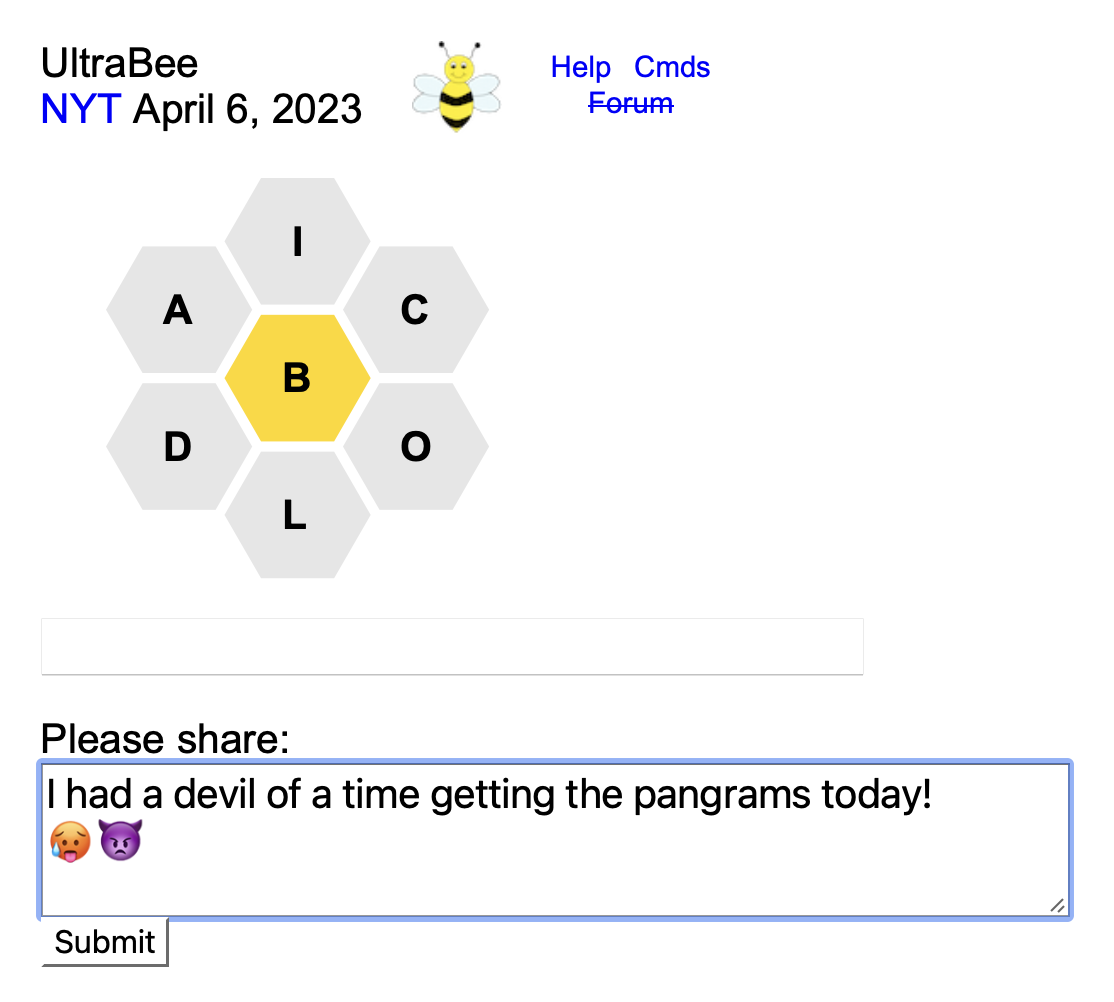
The word lists, status, and hint table are not shown. Instead, there is a text area where you can share your thoughts. When you have finished composing your message press the Submit button. Your message will appear below along with your screen name and the time. Messages are shown in reverse chronological order.
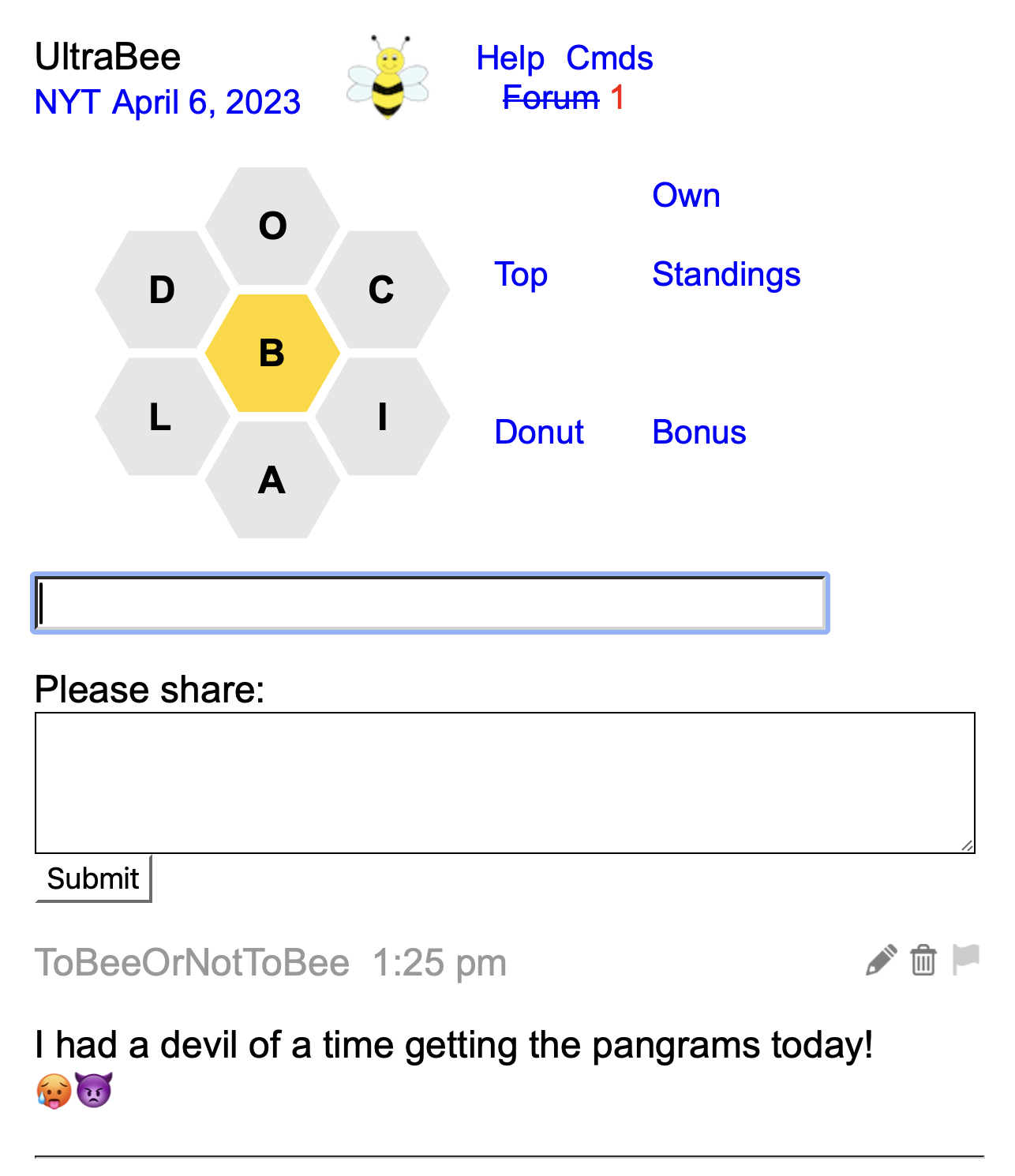
 .
.
 and it will be removed after confirmation.
 . The flag will turn red
  and the authorities will be notified. 😊
When composing your message:
 .
.
Messages are associated with the puzzle itself and persist. The forum is a good place to give praise and thanks to the creator of a Community Puzzle.
Remember that the F command is a toggle. After viewing the current messages and posting your own you can toggle back to the normal display. Even while you are in Forum Mode you can still enter commands and any new words that you have found.
The displayed messages include the screen name, date, and time of the forum post. You can click on the date to load that puzzle and see the forum conversation.
You can also search for a screen name to see all of the messages that someone posted:
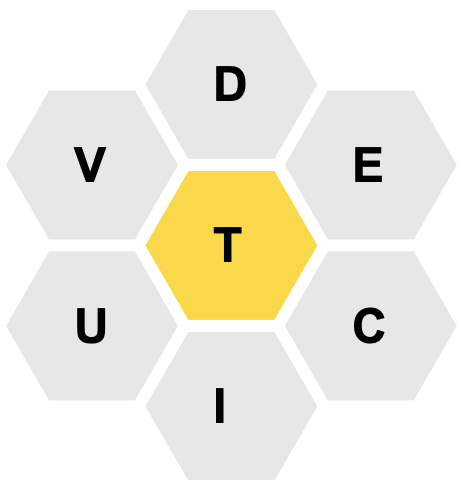


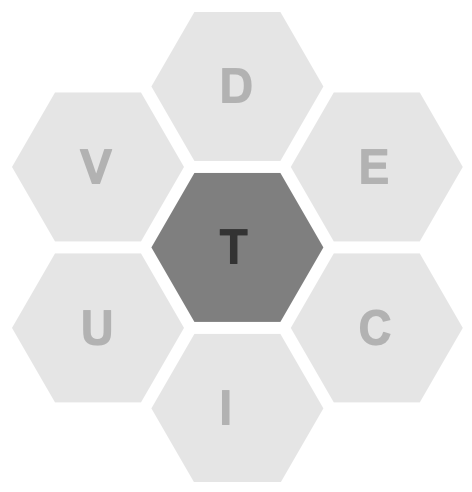
| Command | Name | Center Colors |
|---|---|---|
| CO A | NYT Standard | A |
| CO B | The Blues | B |
| CO C | Floral | C |
| CO D | Dark Mode | D |
| CO E | Black and White | E |
| CO F | Lilac Spring | F |
| CO G | Green Haze | G |
These PreSets are nice but you will very likely want to tweak them in various ways to create your own snazzy color scheme(s). However you set and tweak the colors they will be remembered – they are tied to your ID so they will be preserved from day to day and across browsers.
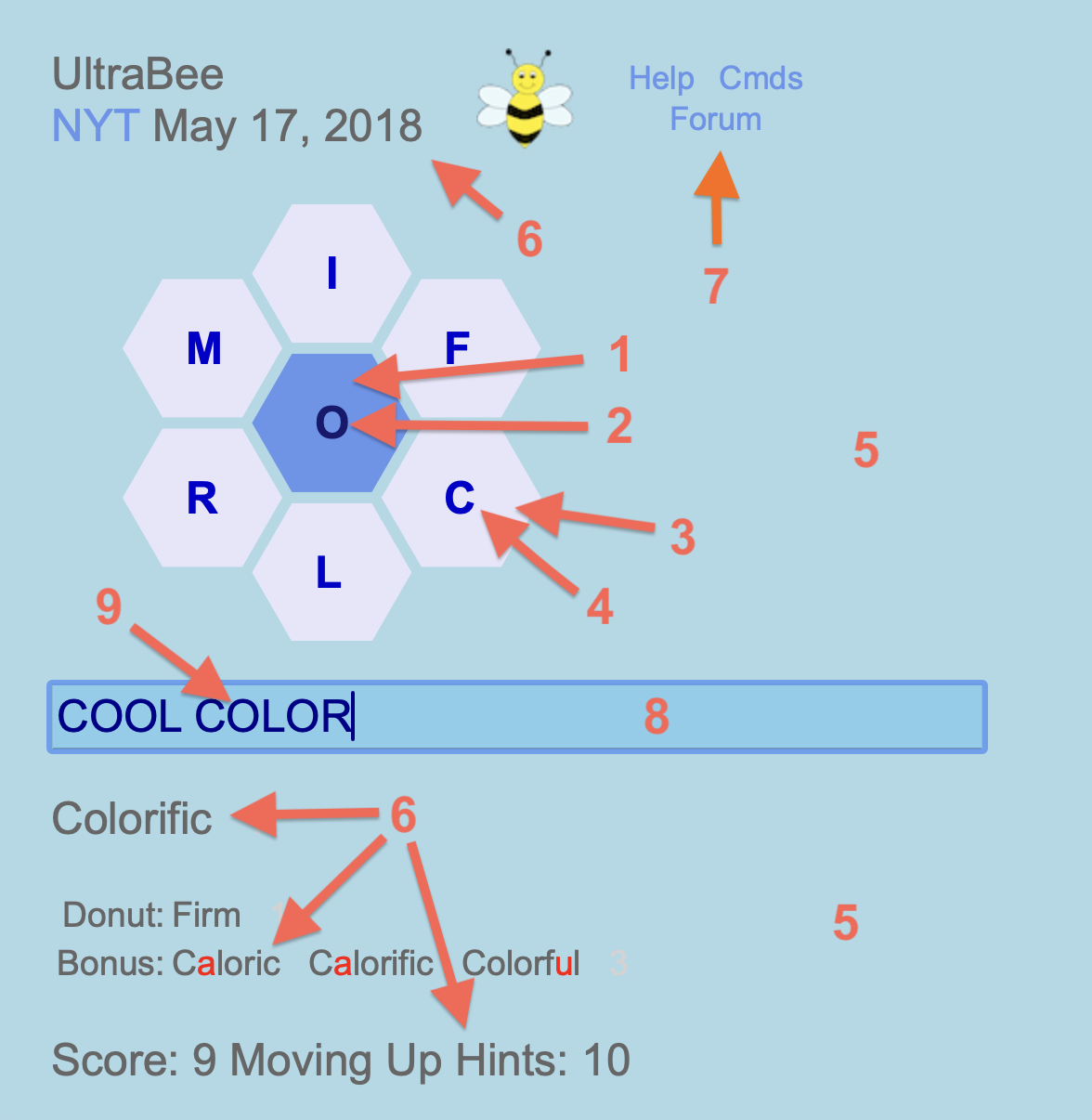
The CO command by itself will show a table of the current color settings:
| 1 | Center background | CORNFLOWERBLUE |
| 2 | Center text | MIDNIGHTBLUE |
| 3 | Donut background | LAVENDER |
| 4 | Donut text | MEDIUMBLUE |
| 5 | Page background | LIGHTBLUE |
| 6 | Page text | RGB(102,102,102) |
| 7 | Links | CORNFLOWERBLUE |
| 8 | Input background | SKYBLUE |
| 9 | Input text | DARKBLUE |
Colors can be expressed in 4 different ways:
Here’s another command to change the page background (#5) and link (#7) colors:
CO is used to put one of your color schemes in place:
The command LCO will list your color schemes. They can be deleted with XCO:
You can write clues when you create a Community Puzzle as seen below. You can also create clues for NYT Puzzles. To make clues for today’s NYT puzzle there is this link:
Clues are shown when you use the D command. If there are clues from multiple authors they will be color-coded.
The I (information) command will show the names of people who submitted clues. Clicking on an author’s name will show the complete list of their clues. Note that in this display, if you’ve already found a word, that word is appended to the clue and the whole line is in gray rather than black. This helps you focus on the clues for the words you have not yet found. Clues for words that are in The Stash are shown in light purple. The tradition in the HiveMind Forum is that clues come in word alphabetical order and can have the length shown as well. If you know this you have more information beyond the clue itself.
The CL command will list the dates of the NYT puzzles for which you have created clues.
If you leave all of the clue fields blank your clue offering is effectively deleted.
There are 5 steps to create a puzzle:
How to find a pangramic word? There are five different ways:
For example, the word “enigma” yields “magazine” from the NYT puzzles, “demanding examining messaging remaining” from the 10,000 word list, and 54 (!) words from the large lexicon - most of which are too esoteric for a “reasonable” puzzle. However 😊 ... among those 54 I do see these that are quite reasonable:
A link will be displayed that looks like this:
The LCP command lists the community puzzles.
The RCP command lists puzzles that I recommend because I find them interesting, clever, or an unusual challenge. Puzzles with clues are more likely to be included.
The command YCP will list the community puzzles that you have created. You can click on the CP## link to re-edit your puzzle. You can update/change/delete the words and clues - but not the 7 letters or center letter. You can also change the title and description.
The command XCP<num> can be used to delete puzzles that you have created.
The description of your puzzle can be used to inform people why you made the puzzle and explain any guidelines for what words might be included or excluded.
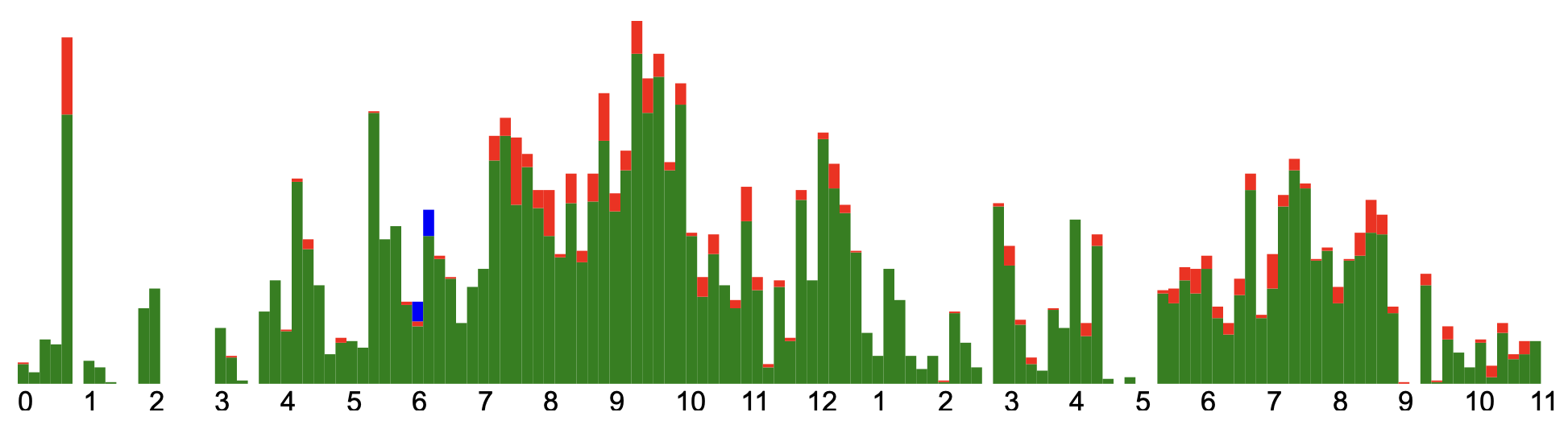
| AC | Show a stacked bar graph of everyone’s activity through the day. Green: #words, Red: #commands, Blue: #dynamic grid queries. The X-axis is hours since midnight, U.S. Pacific Time. The Y-axis is number of entries. Monitoring began on December 22, 2022. It looks like this:
To show only your activity there is the command MAC (my activity). |
| H | Toggle the presentation
of the 7 letters - either the Letter Hexagons or Inline Letters:

Since the letters in words in normal text occur in a line the Inline presentation (instead of the hexagonal) is somehow more natural. Repeated random shuffling of the inline letters can sometimes give you ideas for new words that you might not have noticed when the letters were arranged hexagonally.
DRAFCIT
DIFRCTA  diffract
CRATFDI  craft
DIACRTF  diacritic
TRAFICD  traffic
An extension of the H command is to give a sequence of letters from the puzzle:
DIFRCTA
DIFCATR
DIFACRT
DIFTCAR
This should be helpful when you have a good idea of what the word you are looking for starts with. When in this Inline mode you can issue another H <prefix> command and you will stay in Inline mode with the new prefix.
TRDCIFA
TRIFCDA
TRFADCI
TRAIFCD
You can give the center letter in the prefix if you wish. When in Donut Mode the center letter is not displayed, of course. A natural extension of this H command with a fixed prefix is to add a fixed suffix:
DARCIFT
DRIFCAT
DRFACIT
DRAIFCT
An alternate syntax is:
TARFDIC ARDTFIC FARTDIC RDTAFIC |
| R% | Show the rankings with the percentage of the maximum score. |
| Instead of the full Hint Table | |
| # | How many words remain to be found? |
| #B | How many words beginning with B remain to be found? |
| #4 | How many 4 letter words remain to be found? |
| #>4 | How many words with more than 4 letters remain to be found? This might be useful if you are trying for GN4L: Genius No 4 Letters. |
| Searching the Puzzles | |
| CL | Find puzzles for which you have added clues. |
| SS | Find puzzles that use the same seven letters as the current puzzle. Also show the percentage of words in the other puzzles that occur in the current puzzle. |
| S <word> | Search for puzzles which include the word. |
| The above 3 commands will search both NYT Puzzles and Community Puzzles. You can click on the date or CP# link to start solving the puzzle. | |
| Fun with the Found Word List | |
| W> | Show the found words in order of increasing length. |
| W>n | Show the found words of length greater than n. |
| W< | Show the found words in order of decreasing length. |
| W<n | Show the found words of length less than n. |
| Wn | Show the found words of length n. |
| W <prefix> | Show the found words that start with <prefix>. |
| W/<pattern> | Show the found words that match the pattern. For example, W/OO will show the found words that contain OO - like OOZE, LOOT, or TATTOO. For Super Power Users: The pattern is a Perl Regular Expression with the /x flag. |
| W!/<pattern> | Show the found words that do NOT match the pattern. To see the words that do not end in ING or ED enter this command: W!/(ING|ED)$ |
| 1W | Show the found words in a single column. This may be more convenient if you wish to copy/paste the word list. |
| SL | Show the groups of found words that share the same letters. |
| FT | Show the found words that are appearing for the first time in this puzzle. |
| FT <word> | Show the date on which the given word appeared for the first time. |
| RM <word> | Remove the word from the found list. This might be used if you are trying for GOTN: Genius On the Nose. Better than removing the word would be to stash it – by clicking on the word for a definition and then choosing Stash. You can also do this to remove words:
|
However the Found Word List is shown you can click on each word to get a brief definition of that word. 3 This includes the Donut, Lexicon, Bonus, and Stash words. Click on the brief definition to see the complete definition at wordnik.com in another window.
| |
| If you are a minimalist: | |
| HE | Toggle the showing of the header. Default is to show it. |
| LN | Toggle the showing of the many links when not in mobile mode. Default is to show them. |
| ST | The ST command cycles through 4 different status displays. The last will turn it completely OFF. You can also add a digit (0-3) after the ST to jump directly to one of the four status settings. ST0 is the numeric status. ST3 is no status at all. |
| WL | Toggle the showing of the list of found words. Default is to show the word lists (Puzzle, Donut, Lexicon, Bonus and Stash). |
| WL <which> | Similar to WL above but you can specify which word lists you want to see: <which> is one or more of P, D, L, B, and S.
Donut Lexicon Bonus Stash All
Note that if you have issued WL PS and then wish to see ALL 5 of the word lists, just issue WLA to see ALL. |
| IM | Toggle the showing of the image for the ranks of Amazing, Genius, and Queen Bee. Default is to show it. This is for the default numeric status display. |
| Preserving Your Identity | |
| ID |
The ID and the SN commands are explained thoroughly here.
The ID command alone will show the long string of characters that constitute your “identity” to the program. It will look something like this: 963e4401-81eq-18ec-g81c-b1f85c942ex3 This command copies the long string to the system clipboard. Save this string in a secure place. |
| ID ... | In case you inadvertently clear your Website Data (aka cookies) you can restore your identity with this command:
ID 963e4401-81eq-18ec-g81c-b1f85c942ex3 The long string of characters was retrieved from where you securely stored it.
This command also allows you to replicate your identity from one browser to another (e.g. Safari to Chrome or desktop browser to mobile browser).
The long string is computer generated and is guaranteed to be unique - but it is long! A much easier way to establish your identity is to create a string that you know is (very likely) unique to you - like your name plus your birthdate. For example:
The ID and the SN commands are explained thoroughly here.
|
| Escaping the Mousetrap | |
| |
| G | In a new window, do a Google search on the last word that was found. |
| G <term> | In a new window, do a Google search on the given search term. |
| WN | In a new window, do a full wordnik.com definition of the last word that was found. |
| WN <word> | In a new window, do a full wordnik.com definition of the given word. |
| HP | In a new window, bring up the UltraBee Help document at the Table of Contents. |
| CM | In a new window, bring up the list of commands by category. |
| CMA | In a new window, bring up the list of commands sorted alphabetically. |
| The Ultimate Hint: | |
| G Y | Give up and show and enter the words you have not yet found. G Y means Give up and confirm Yes. |
In the graphical status you can click on the b, p, and w lines to issue commands. This is convenient when playing on a mobile phone.
| Line | Cmd | Description |
|---|---|---|
| b | BT | Toggle the Bingo Table. |
| p | SS | Show other puzzles with the same 7 letters. |
| w | I | Show Information about the puzzle. |
2LL — Two Letter List: The number of accepted words that begin with the indicated two letters.
BINGO — All seven letters in the puzzle are used to start at least one word in the word list.
Pangram — A word that uses all seven letters at least once. Some puzzles will have more than one pangram. A pangram is worth seven extra points.
Perfect Pangram — A pangram that uses each letter only once, e.g., a seven-letter pangram.
GN4L — Genius, No 4 Letters: You’ve reached Genius level without any four-letter words. Though we may want to say four-letter words while trying to get to Genius without them.
GN4L OTN or GOTN — Genius, No 4 Letters, On The Nose: You’ve scored exactly the number of points to achieve Genius without using four-letter words.
GNP(s) or GN4L-NP — Genius, No Pangram(s): You’ve gotten to Genius without finding a pangram.
Hivemind — The name of the Spelling Bee community.
QB — Queen Bee, the highest score possible in a given puzzle, and an Easter egg level in the game. You’ve found all of the possible words in the puzzle.
QBABM — Queen Bee All By Myself: You’ve gotten to Queen Bee without any hints from the Hivemind.
QBWG+H+2LL — Queen Bee With Grid (plus hints): You’ve gotten to Queen Bee with the use of the grid, hints, and/or the two letter list.
QB-1 — One word away from Queen Bee.
QBALL — Queen Bee At Long Last.
Getting to Genius, Part 1: Spelling Bee for Beginners
Getting to Genius, Part 2
How the Hivemind Conquers Spelling Bee
An Insomniac Plays Spelling Bee
Flight of the Spelling Bee Player
Insider Secrets of the Spelling Bee - An interview with Sam Ezersky
YouTube - Deb Amlen, Sam Ezersky, and William Jackson Harper play the Spelling Bee
These Spelling Bee Hint Writers Want to Help You Get to Genius
Kitt Richards was interviewed for this article. Kitt uses this software to help format her clues.
Contra Bee A love note to spelling bee. This site takes the daily NYT Bee and asks you to enter Donut words. It has an “official” list of Donut words and you try to get to Genius rank by finding all the words in the list. You can play yesterday’s puzzle as well.
bee.ignoble.dev {} Bee - Generates a daily puzzle (not NYT) from the English Aspell Dictionary. There are puzzles going back to 5/17/2020. Puzzles on Sunday have fewer than 41 words. The number of words increases through the week until Friday puzzles have more than 120 words. Saturday puzzles have more than 120 words excluding the letters s and d. Can sort the found words in 3 ways. It has a “spoiler” mechanism to reveal all words. I found a bug in the scoring: Some 4 letter words score more than 4!?? (This is because he scores words according to the Scrabble value of each letter instead of the NYT Bee scoring method.) It keeps a tally of how many words of each length you need and have found. A very clean interface. With no advertisements or requests for donations. 👍
swilliams.io.fun/hex - A Javascript implementation. Fast. Clean code. Uses a file of 1,500 pangramic words and a file of 10,000 common words. A different puzzle each day. No ranks. No hint table. Not NYT Puzzles so not “curated”. Github repo is here.
freebee.fun is a free web version of the game that you can play! Javascript and HTML/CSS. It doesn’t use NYT words so the word list is not “curated”. There is no hint table. Source code in C is available for a command line version.
Philip Shemella A command line game you can play written in Python. Again, doesn’t use NYT words. It also generates new games.
Cloning the NYT Bee Written in node.js and other modern tools. Only two games to play. No hint table. Choose “live demo” at the bottom.
bumblewords.com A Javascript game. Clean. Not NYT Puzzles. Cannot type - must click/tap. It has a leaderboard.
A sequence of 7 videos The functionality of the NYT Spelling Bee is (sort of) replicated in Javascript/HTML/CSS. The entire process is explained in great (excruciating) detail.
worker-bee.io No longer active. This was a dynamic Hint Table in Javascript - pretty but somewhat fragile as it didn’t have the full word list.
beesquared.ga Yet another dynamic Hint Table in Javascript similar to worker-bee.io.
Spelling Bee Tips Clues and definitions and incremental revealing. Can paste words from NYT puzzle. Pretty fancy but awkward to use. Where do the clues and definitions come from?
Honeycomb Hints An iOS app. You upload a screenshot of your found words and the app extracts them and updates the Hint Table. How are the words deduced from the image? OCR? Impressive - but troublesome to use. It doesn’t verify the words are in the "allowed list" or are even qualified.
Spelling Bee Assistant An extension for the Chrome browser that interacts with the NY Times Spelling Bee site. Provides dynamic counts. No hints or definitions.
Excel Spreadsheet for the Hints Table This updates the hint table as words are found and pasted in.
Spelling Bee Hint Worksheet A kind of spreadsheet you print out and, with a pen or pencil, fill in the words you have found. This is further proof that there is an unmet need for the grid to be dynamic.
Bryn Mawr College An ambitious Senior Project for 4 students.
Finding a Max Score Another video analyzing NYT Bee type puzzles in excruciating detail.
NYT Spelling Bee 2021 in Review Analysis of all 2021 puzzles. By Charlie DiGiovanna & Lea Bourdages.
I do have a subscription to the Times. It is a reliable, trusted, and curated source of information in these troubled times. Subscriptions help the many journalists stay focused on their story.
When the puzzle page is loaded into the web browser the list of allowed words is visible – if you know where to look. This is what you will see in the HTML/Javascript page source:
window.gameData = {
    "today": {
    "expiration": 1638345600,
    "displayWeekday": "Tuesday",
    "displayDate": "November 30, 2021",
    "printDate": "2021/11/30",
    "centerLetter": "h",
    "outerLetters": ["d", "g", "i", "n", "o", "t"],
    "validLetters": ["h", "d", "g", "i", "n", "o", "t"],
    "pangrams": ["goodnight", "hotdogging"],
    "answers": ["goodnight", "hotdogging", "dhoti", "doth",
        "godhood", "goth", "hiding", "high", "hind",
        "hinging", "hint", "hinting", "hitting", "hogging",
        "honing", "hood", "hooding", "hoodoo", "hoot",
        "hooting", "hotdog", "nigh", "night", "ninth",
        "nothing", "thigh", "thin", "thing", "thinning",
        "thong", "tight", "tithing", "tonight", "tooth"],
...
So the words in the puzzle are available publicly each day.
The new mechanism I created is simply an alternate way
of using these words.
| ADFLMPU | 06/26/18 | 10/28/19 | 03/07/20 | 06/06/20 | 07/02/20 |
| BILMOTY | 07/20/18 | 10/27/19 | 06/04/20 | 12/01/20 | 07/09/21 |
| GNORTUW | 08/17/18 | 05/02/19 | 12/16/19 | 03/20/20 | 02/04/21 |
| # 7 letter sets |
# of dates |
|---|---|
| 3 | 5 |
| 35 | 4 |
| 97 | 3 |
| 184 | 2 |
The SS command finds other dates that use the same 7 letters as in the current puzzle. These other puzzles usually (but not always) have a different center letter. Note these identical puzzles: 08/03/19 and 08/24/20.
SS will also show what percentage of words in the other puzzles are the same as in the current puzzle.
I’m curious why the NY Times has to keep RE-using / recycling the same pangramic words. There are SO many other choices. If you feel the same you can create your own puzzle with a different colorful intriguing pangram! It could even include an S (OMG!) or have both an E and an R! Post a message in the Forum to share your puzzle!
Tallies are made of the many puzzles and words. See this table of the puzzles:
You will see date, center letter, # words, # pangrams, score, # four letter words, and bingo. You can sort the table ascending or descending on all these things.
And see this table of the words:
You will see word, length, frequency, and date the word first appeared. You can sort the table ascending or descending on all these things.
If you scroll down on these pages you will see a link to Load the entire file. This was done to make for faster loading of the top of the file (which is likely what you are most interested in).
If all you want are the words themselves here they are:
Which puzzles from the large archive to play? You can get one at random with the NR command or you could choose one with various attributes like ones with the most points or the fewest 4 letter words.
Starting an archival puzzle is simple. Just enter the puzzle date (like 12/16/21) in the text field where you would enter a word.
To facilitate your curiosity and Bee research see this text file of the many puzzles. Rather than clicking on that link to load the massive amount of text into the browser I recommended that you right click (or control-click) on the link to bring up the context menu and choose Download Linked File.
The lines of text have this format:
yyyymmdd seven center nwords max_score npangrams nperfect bingo gn4l gn4l_np pangrams ... | words ...For example:
20180524 abceklm k 28 112 2 0 0 1 0 camelback clambake | aback alack ... meekAnother way to do Bee “research” is to search NYT Bee words and large lexicon words for a pattern with this site:
Most people play by trying to find all the words in the puzzle’s “allowed list” ALL BY THEMSELVES – using no other source than their own mind and memory. This is admirable. But we are not all so dedicated or pure nor do we have the time it takes! This is what the hints and clues and definitions are for – to give us a bit of help. You are charged for this assistance by the accumulation of “hint points”. With this help we can get to Genius or Queen Bee. This kind of help is not really cheating.
A minor cheat is to ask Google how to spell a word. Google is very good at taking a misspelling and showing how it should be spelled. You came up with the word! You simply weren’t sure how to spell it! See this section for an easy way to ask Google.
It you DO want to cheat using more sneaky means there are many ways:
% egrep '^[abcdefg]{4,}$' /usr/share/dict/words | grep g
abcdefg above should be replaced by the seven letters in the
puzzle. Note that g is the center letter.
The above command will show all qualifying puzzle words that occur in the large lexicon. Not all will be in the allowed list as there are many rare and obscure words in that lexicon.
If you’re looking for a Bonus word that starts with J, K, Q, V, X, Y, or Z see this footnote8.
Here is one way to cheat with Donut words (in the OSX Terminal with regular expressions):
% egrep '^[abcdef]{4,}$' /usr/share/dict/words
where abcdef are the 6 donut letters.
Here is one way to cheat with Bonus words (in the OSX Terminal with regular expressions):
% egrep '^[abcdefgj]{6,}$' /usr/share/dict/words | grep j
The above will find Bonus words with an additional letter J.
All browsers have a way to clear the history without removing the website data. For example, on Safari holding the Option (aka Alt) key while clearing the history will Keep Website Data.
Note that the ID Power User command is a way to restore your identity yourself.
2
How many different Color Schemes are there?
A bit is either 0 or 1 = 2 states.
A byte has 8 bits giving 28 = 256 values from 0 to 255.
A color is composed of 3 bytes (red, green, blue) so there are 2563 = 16,777,216 unique colors.
A color scheme has a color for each of 9 areas so there are 16,777,2169 >= 1065 different color schemes.
Summarizing:
For even more fun, using dc, the arbitrary-precision arithmetic calculator, the actual answer is:
105,312,291,668,557,186,697,918,027,683,670,432,318,895,095,400,549,111,254,310,977,536
One hundred five vigintillion, three hundred twelve novemdecillion, two hundred ninety-one octodecillion, six hundred sixty-eight septendecillion, five hundred fifty-seven sexdecillion, one hundred eighty-six quindecillion, six hundred ninety-seven quattuordecillion, nine hundred eighteen tredecillion, twenty-seven duodecillion, six hundred eighty-three undecillion, six hundred seventy decillion, four hundred thirty-two nonillion, three hundred eighteen octillion, eight hundred ninety-five septillion, ninety-five sextillion, four hundred quintillion, five hundred forty-nine quadrillion, one hundred eleven trillion, two hundred fifty-four billion, three hundred ten million, nine hundred seventy-seven thousand, five hundred thirty-six.
See Names of Large Numbers in Wikipedia.
3
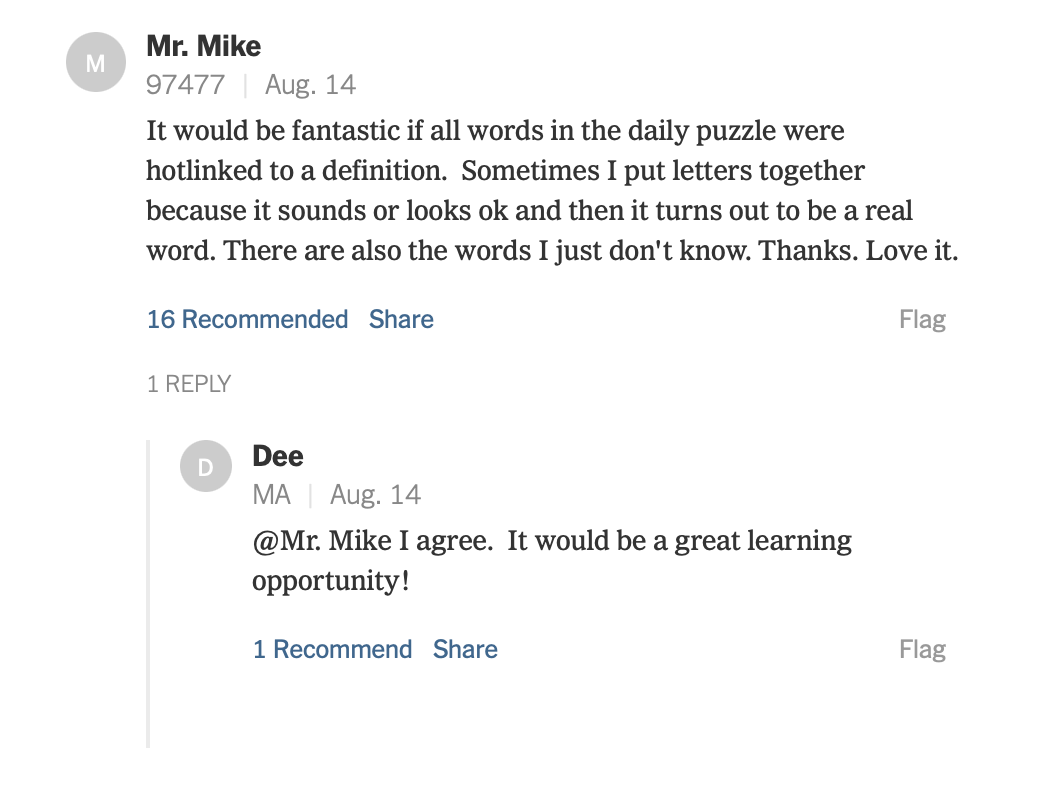
This post in the HiveMind on August 14, 2023 shows that being able to click on words in the Puzzle, Stash, Lexicon, Donut, and Bonus lists to get definitions of
words is a useful and desired thing:
If the brief definition from wordnik.com is in one of these forms:
Words that are misspelled according to wordnik.com will not qualify as Lexicon, Donut, or Bonus words. Alternative, nonstandard, or obsolete spellings are okay.
4
The file /usr/share/dict/words on OSX is known as “the large lexicon”.
This collection of words contains 235,886 words of which 98,634 of them have a
length >= 4 and contain no more than 7 unique letters.
Surprisingly, it is missing many words - such as INTERNET! 😜
5
Ultra means 'beyond' in Latin.
Synonyms from wiktionary.org:
6
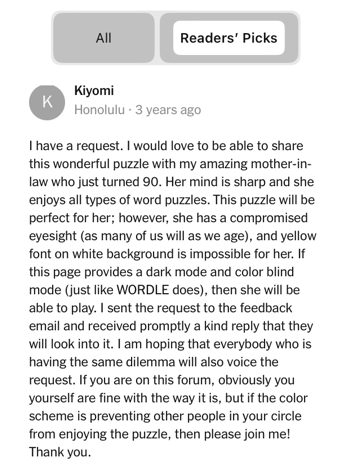
Here’s a comment in the NYT HiveMind that makes it clear
that control over the colors in the Bee is a good thing.
7
Kinnikinnick is “a preparation made from the dried leaves and bark of various plants, often including bearberry and sometimes mixed with tobacco, smoked especially by certain Native American peoples.”
wordnik.com has 18 alternate spellings of Kinnikinnick (and there is also Kinnickinnic, Wisconsin
Kilikinic
Kilikinick
Killikinick
Killikinnick
Kinickinick
Kinikinic
Kinikinick
Kinikinik
Kinikinnick
Kinikinnik
Kinnickinick
Kinnickinnic
Kinnickinnick
Kinnikinic
Kinnikinick
Kinnikinik
Kinnikinnic
Kinnikinnick
Kinnikinnik
It only takes I, K, and N in a puzzle for 4 of these to qualify. And an additional C permits 11 more! They may not be in the “allowed list” but would be accepted as Lexicon words. If you’re looking for Bonus words there are many possibilities. 😊
If you wish to enter all of the above spellings click on this:
While the word KINK has appeared in many puzzles (use the Power User command 'S KINK') KINNIKINNIK has not yet appeared. 😞
Wiktionary has 35 alternate spellings of KINNIKINNICK!
8
Here are some “open secret” Bonus words: